The Agent Playbook: Turn Posts Into Clients
Feeds & Deeds keeps you in front of your town every week. You turn that attention into clients by replying, following up and asking for reviews. This guide shows you how to do both in about an hour a week.
Claim your founding spotOn this page
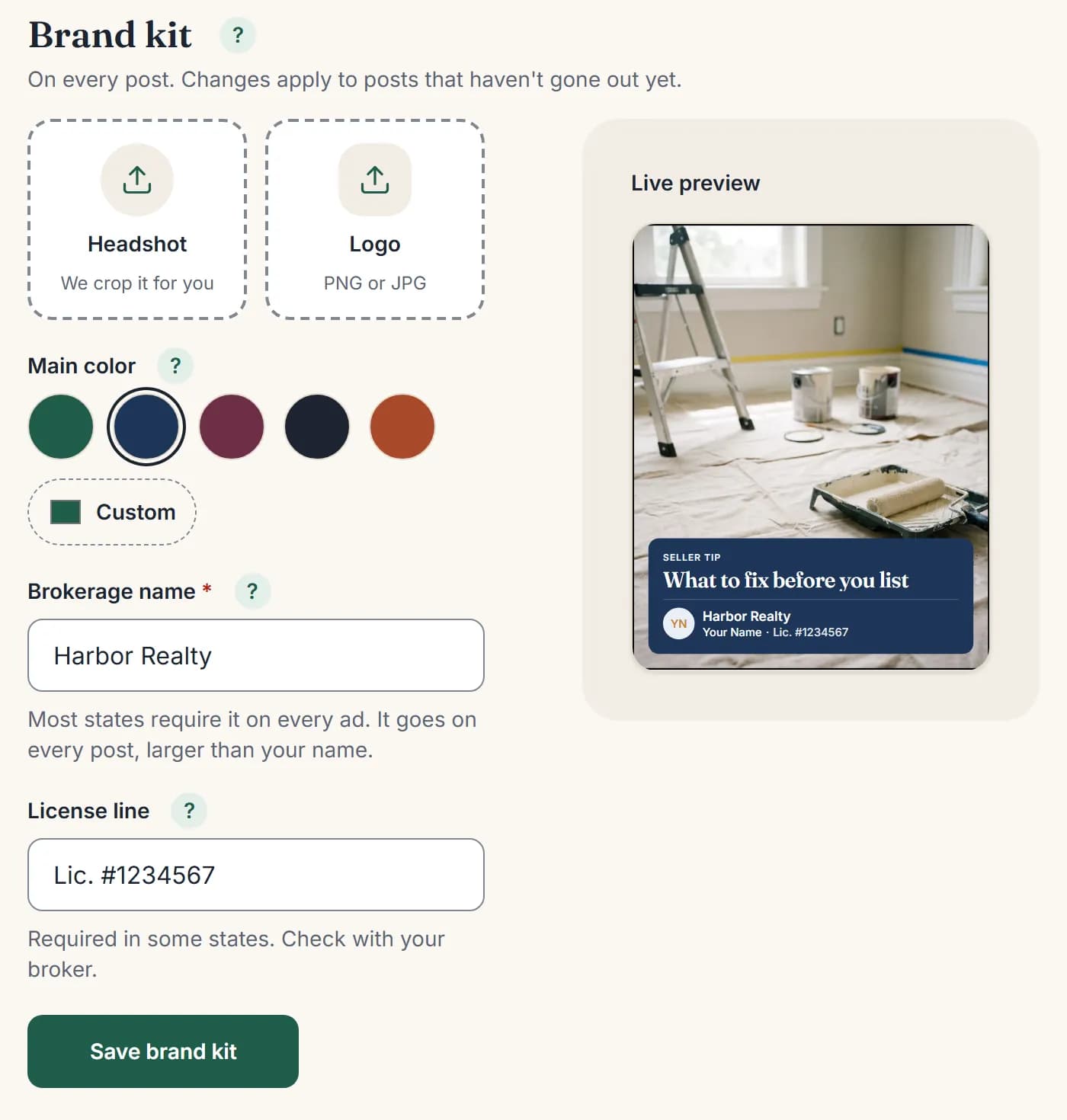
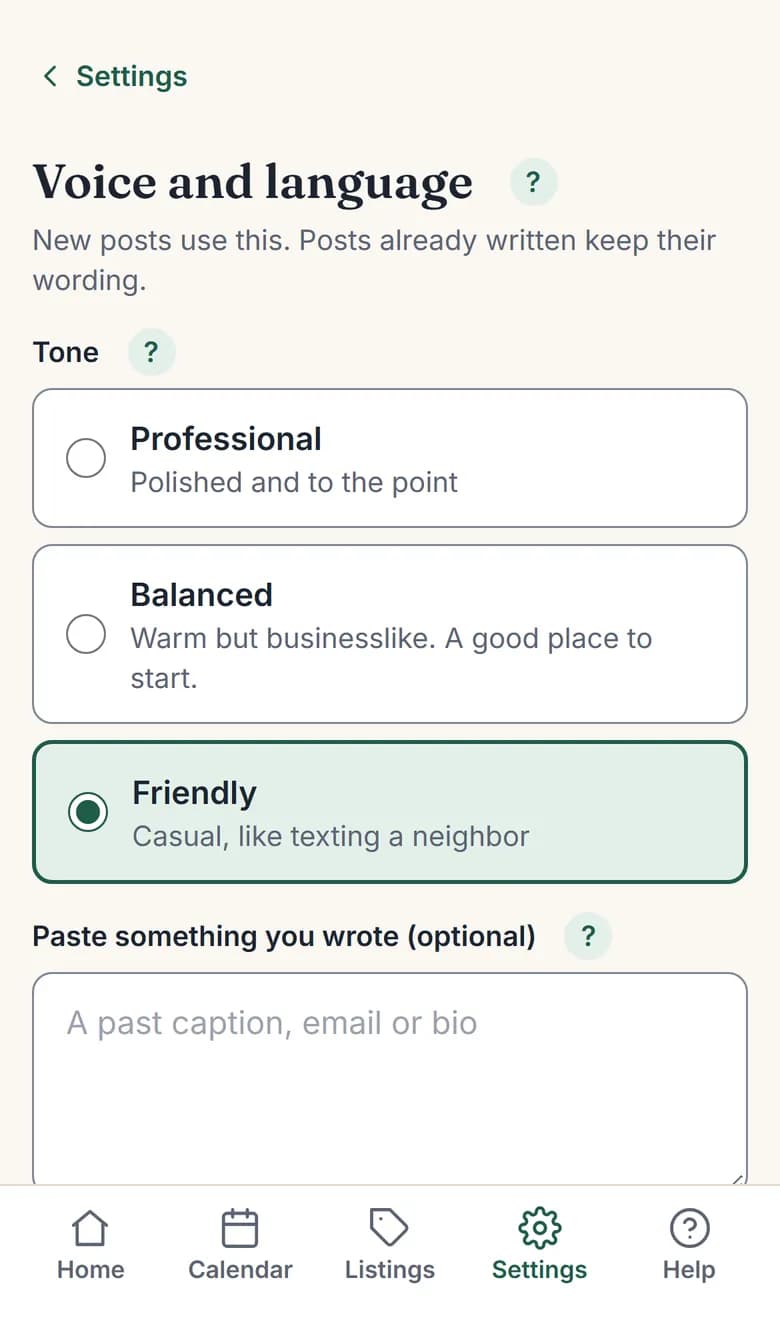
Screens from a demo account.
How posts turn into closings
- 1 · FEEDS & DEEDS DOES ITPosts go out5 a week on Instagram, Facebook and Google
- 2They know youLocals see you every week
- 3They engageComment, DM or reply to a story
- 4 · YOUR PARTYou reply fastSame day. Ask about them first
- 5 · YOUR PARTMove to phoneText or call once they’re interested
- 6 · YOUR PARTAppointmentBuyer consult or listing meeting
- 7 · YOUR PARTClosingAsk for a Google review that day
- 8 · FEEDS & DEEDS DOES ITClient love postTheir review goes out as proof
- ↻ Back to step 1: proof wins your next client
The posts are automatic. The four steps in the middle are yours, and they’re where the money is.
Day 1: set it up right (20 minutes)
Your setup decides whether posts sound like you or like every other agent.
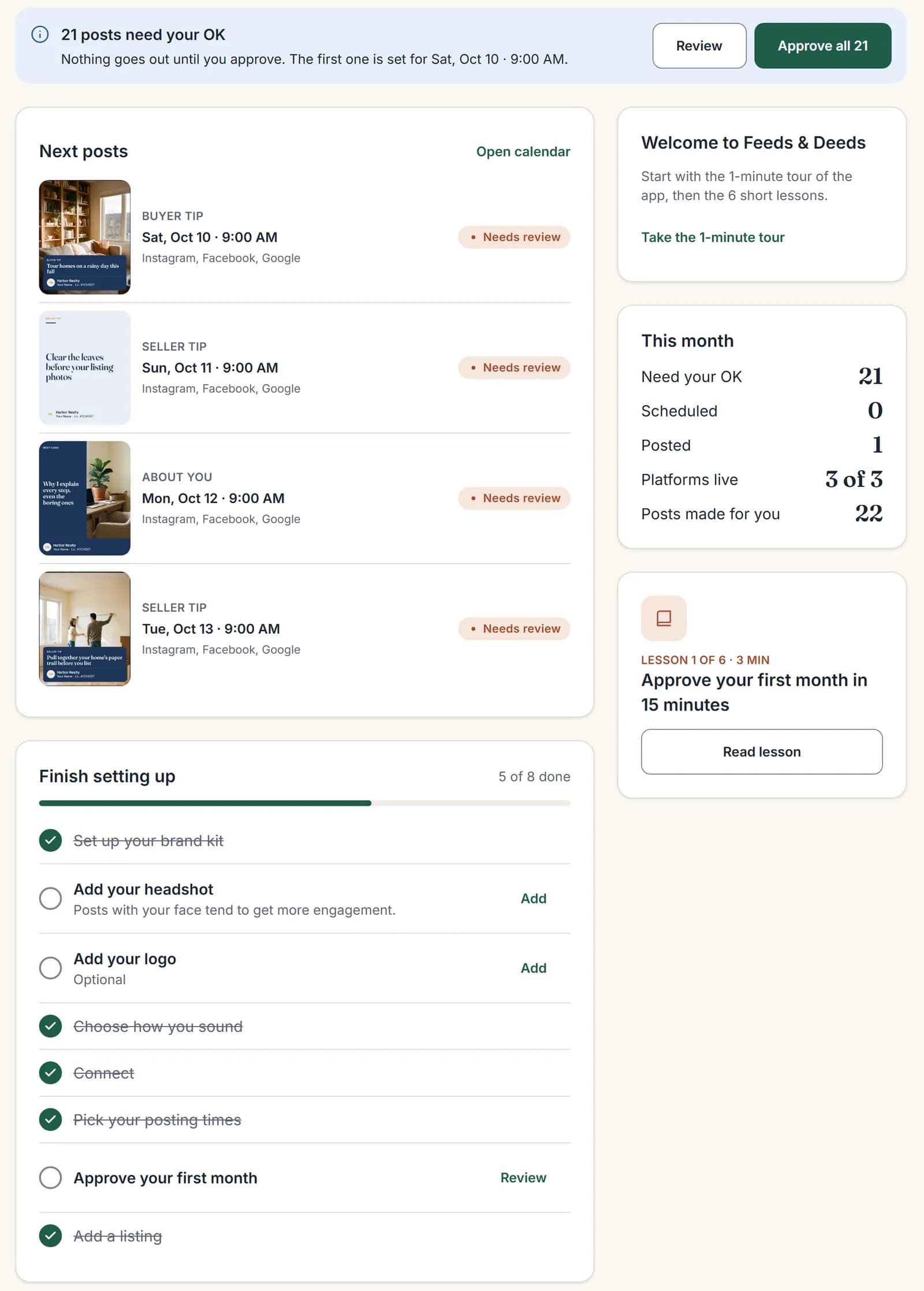
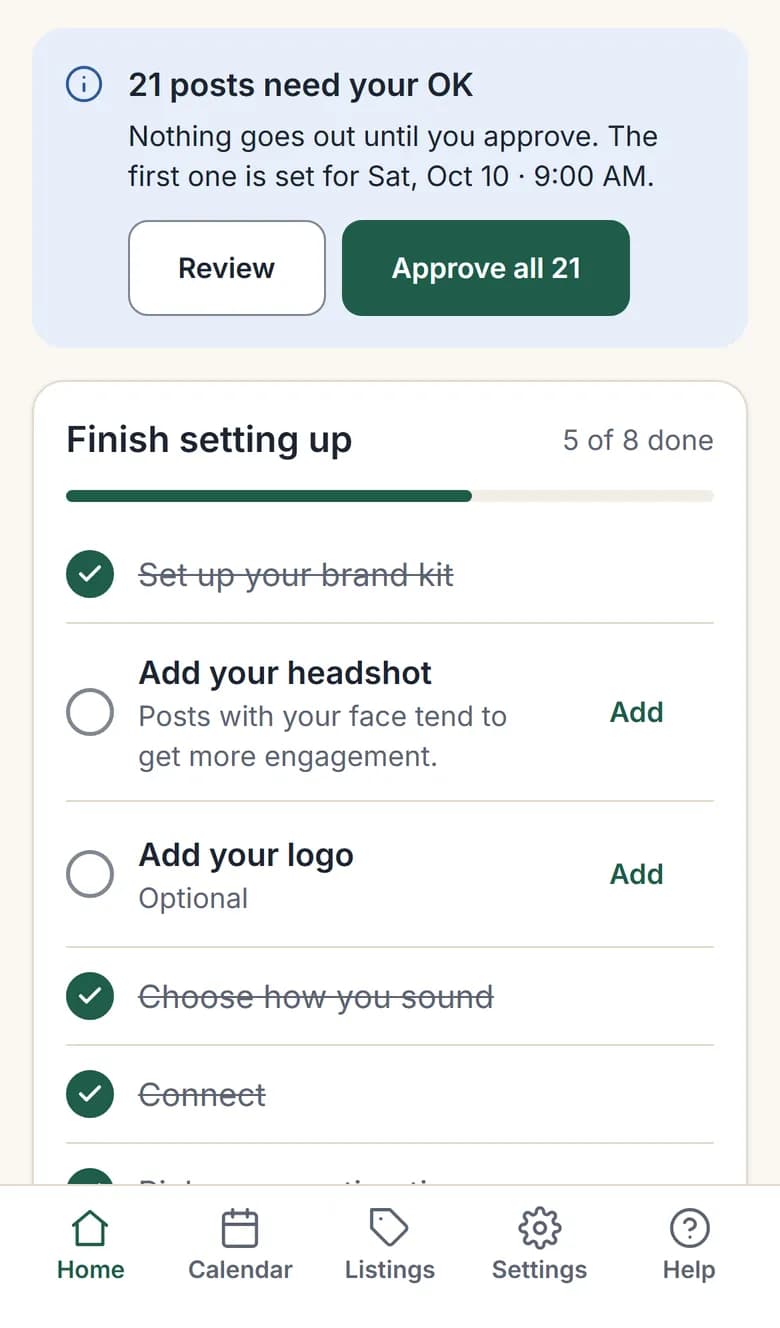
- Pick your towns (up to 5). Choose the towns where you want your next listing. Hyper-local wins.
- Pick who you help most: buyers, sellers, first-time buyers, downsizers, relocation, investors. We write more tips for the people you pick.
- Brand kit: a recent, real headshot (people hire a face), your logo, one main color, and your brokerage name exactly as licensed. Add your license number if your state requires it.
- Voice: Balanced is a good place to start. Paste a text or email you actually sent a client as your writing sample. Pick Spanish or both if your market speaks it.
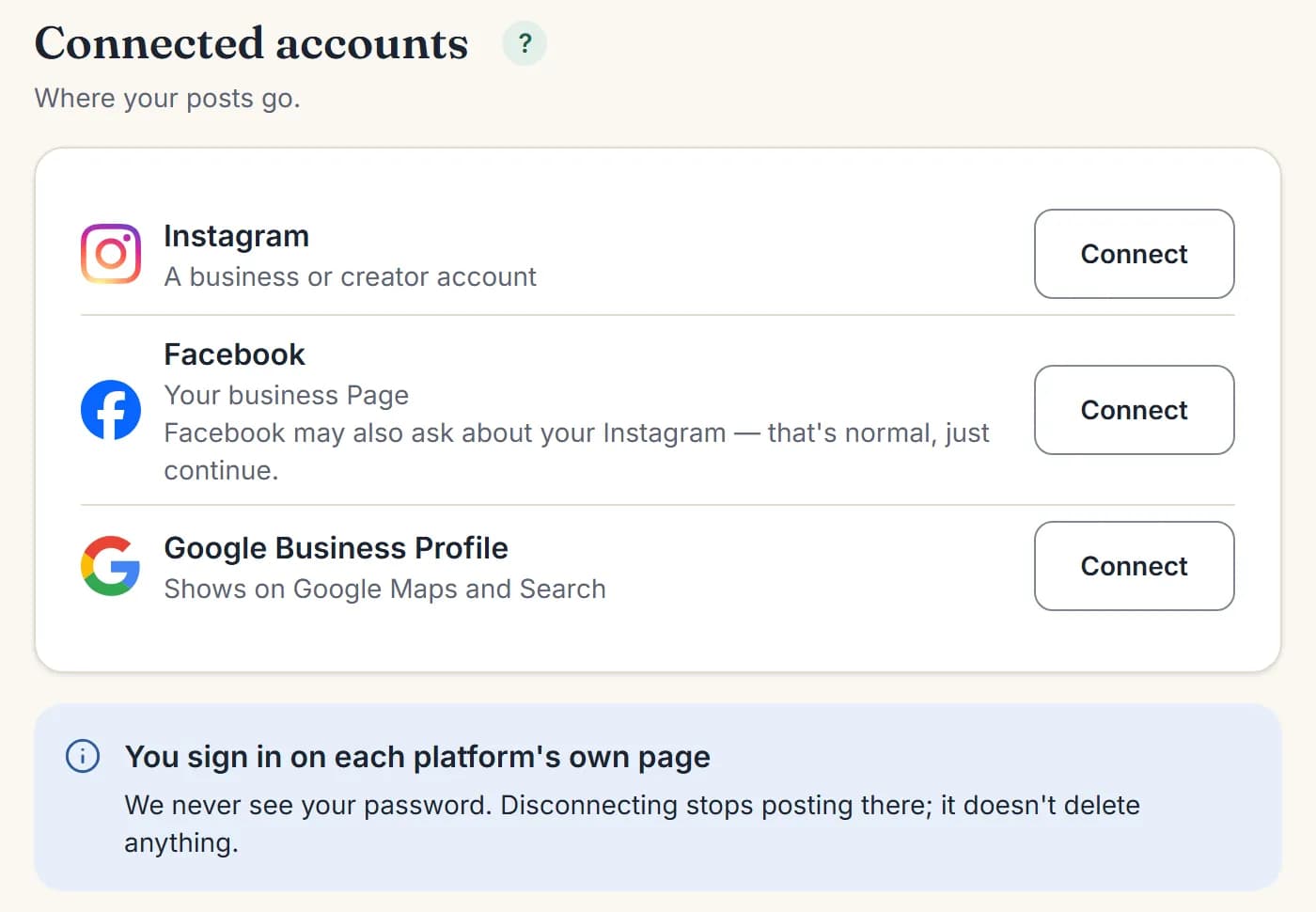
- Connect all three: Instagram (business account), your Facebook Page and Google Business Profile. Don’t skip Google. It’s where people check your reviews.
- Add 3 or more real client reviews in Settings → Profile → Client reviews. They become “Client love” posts.
- Add your active listings.
- Fix your bio (outside the app): who you help and where, your brokerage, and how to reach you. Example: “Helping first-time buyers in [Town] & [Town] | [Brokerage] | Cell: [number] | Office: [number]”.
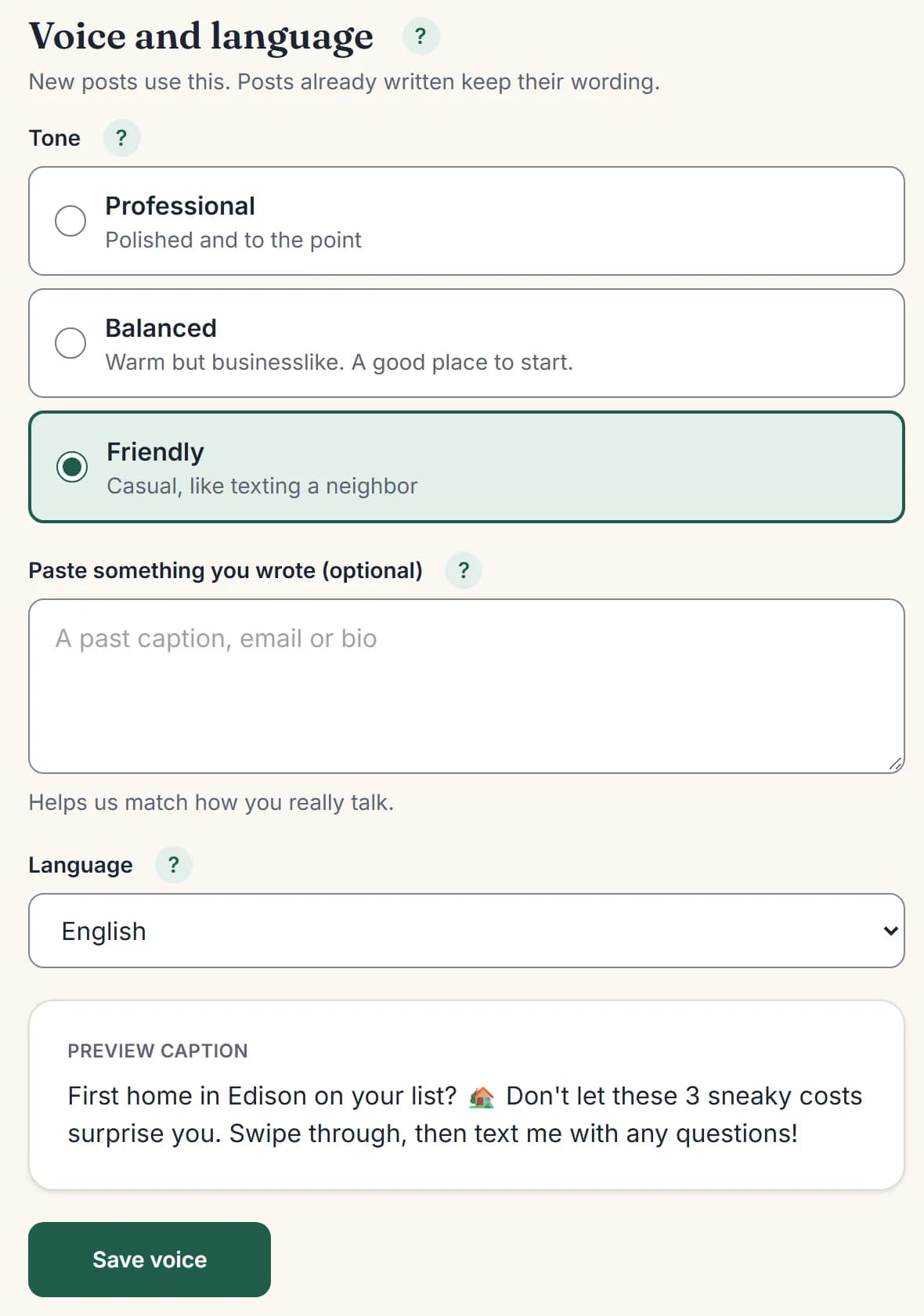
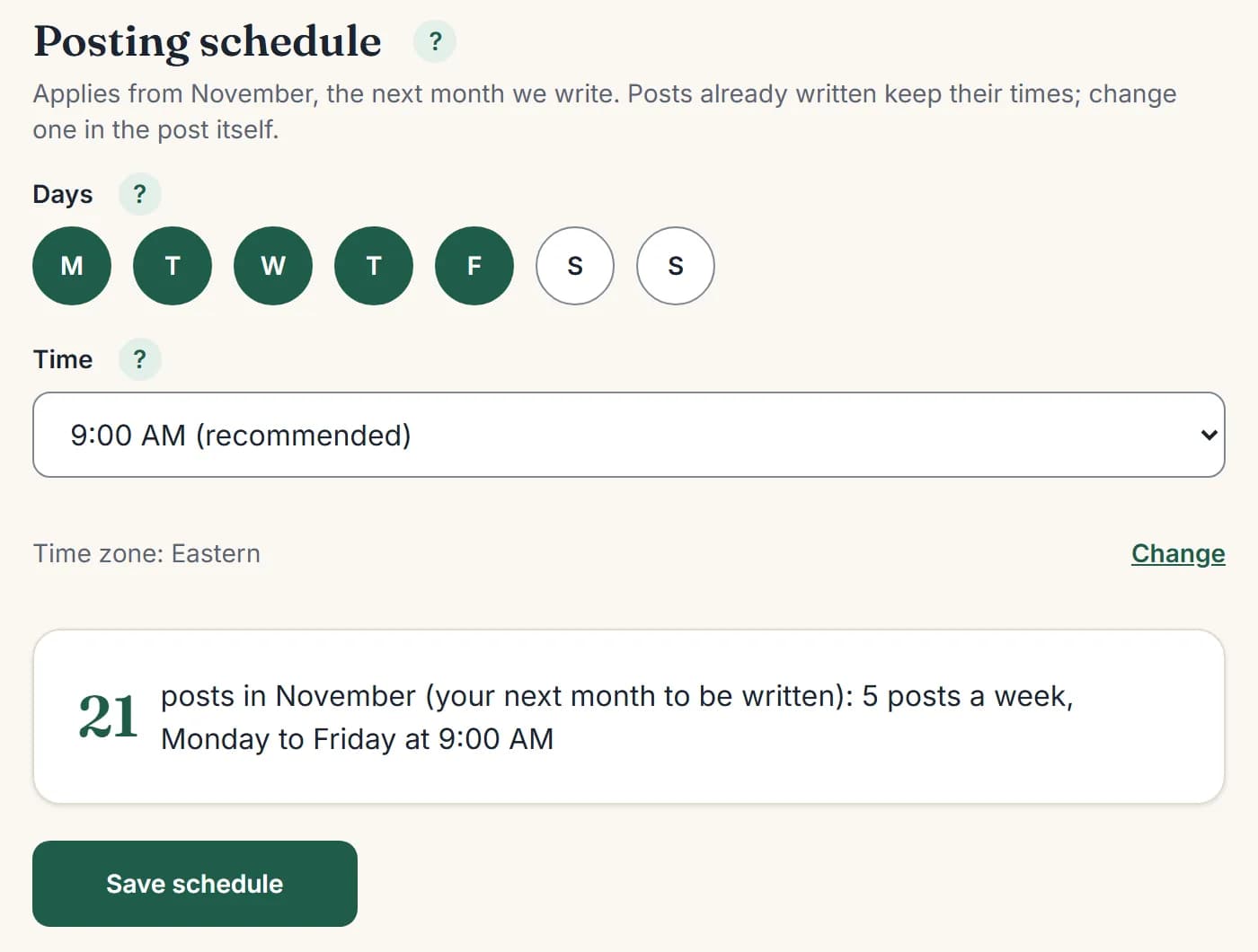
Your posting days and time are in Settings → Posting schedule.
What to post: helpful and local first, selling second
People don’t hire the agent with the most “Just Sold” posts. They hire the agent they trust and remember. Agents say constant listing posts look like bragging, while local and helpful posts start conversations. Keep about 3 in 10 posts about selling yourself.
| Post type | What it does for you | Who makes it |
|---|---|---|
| Local spots and events | Shows you know the town | Feeds & Deeds |
| Buyer and seller tips | Shows you’re the expert without bragging | Feeds & Deeds |
| Market ideas (how offers work, why homes sit) | Answers questions people are scared to ask | Feeds & Deeds |
| Meet your agent | People feel they know you before they call | Feeds & Deeds (you check the facts) |
| Question posts | Gets comments, the start of a conversation | Feeds & Deeds |
| Holidays and seasons | Keeps you friendly and visible | Feeds & Deeds |
| Client love | Proof from someone other than you | Feeds & Deeds, from real reviews you paste in |
| Listing posts | Shows sellers you get results | Feeds & Deeds, from listings you add |
| Stories (coffee spot, a showing, a quick tip) | Shows you’re a real person | You, 30 seconds from your phone |
| A real lesson from your week | The posts agents say get the most DMs | You, with “+ Add a post” |
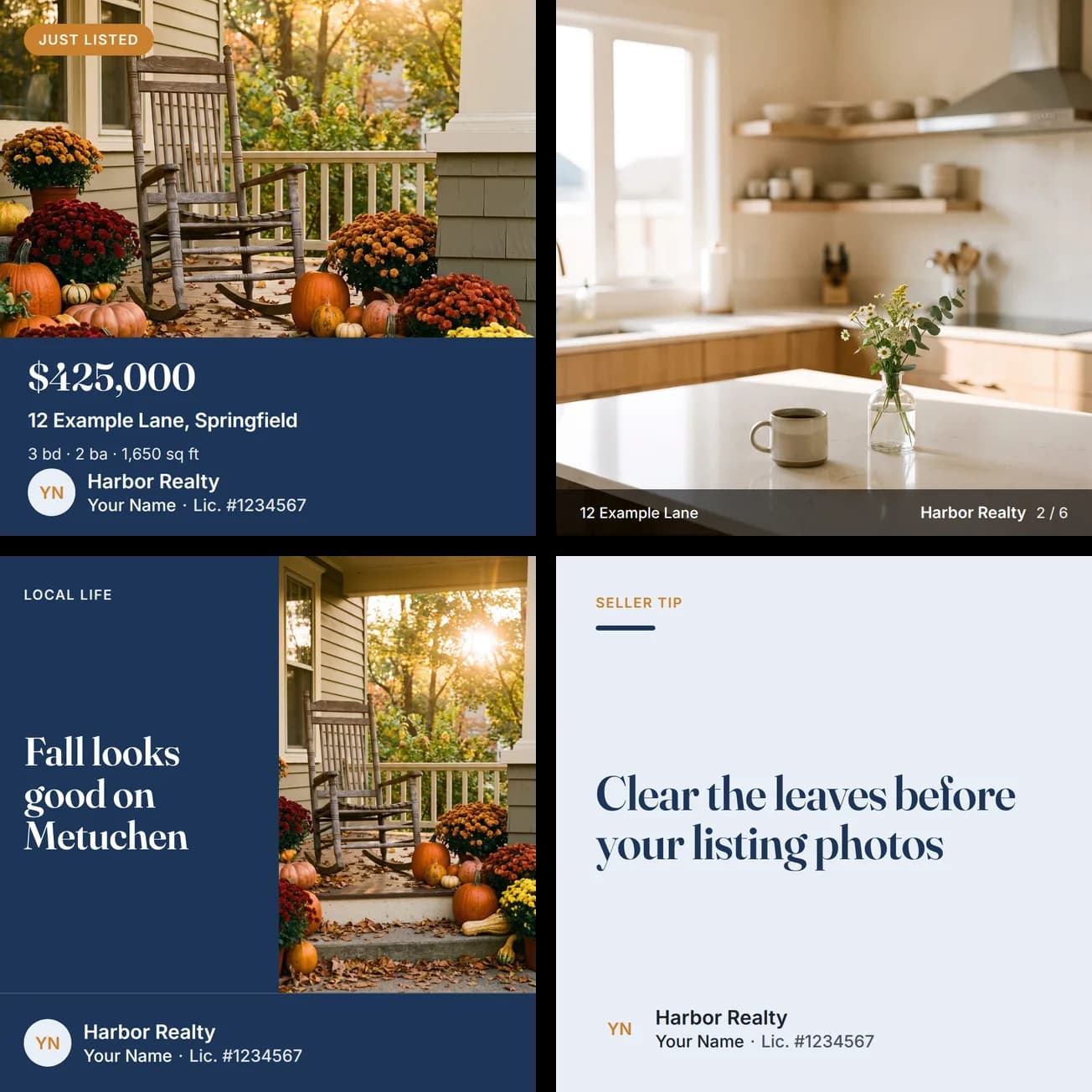
The one post only you can make
A true story from your week, with no client names. “Here’s why I told my client NOT to buy this house.” “One mistake a buyer almost made this week.” “What $500K gets you in [town] right now.” Use + Add a post, then put the caption in your own words. Feeds & Deeds never makes up market numbers. Add real ones from your MLS yourself.
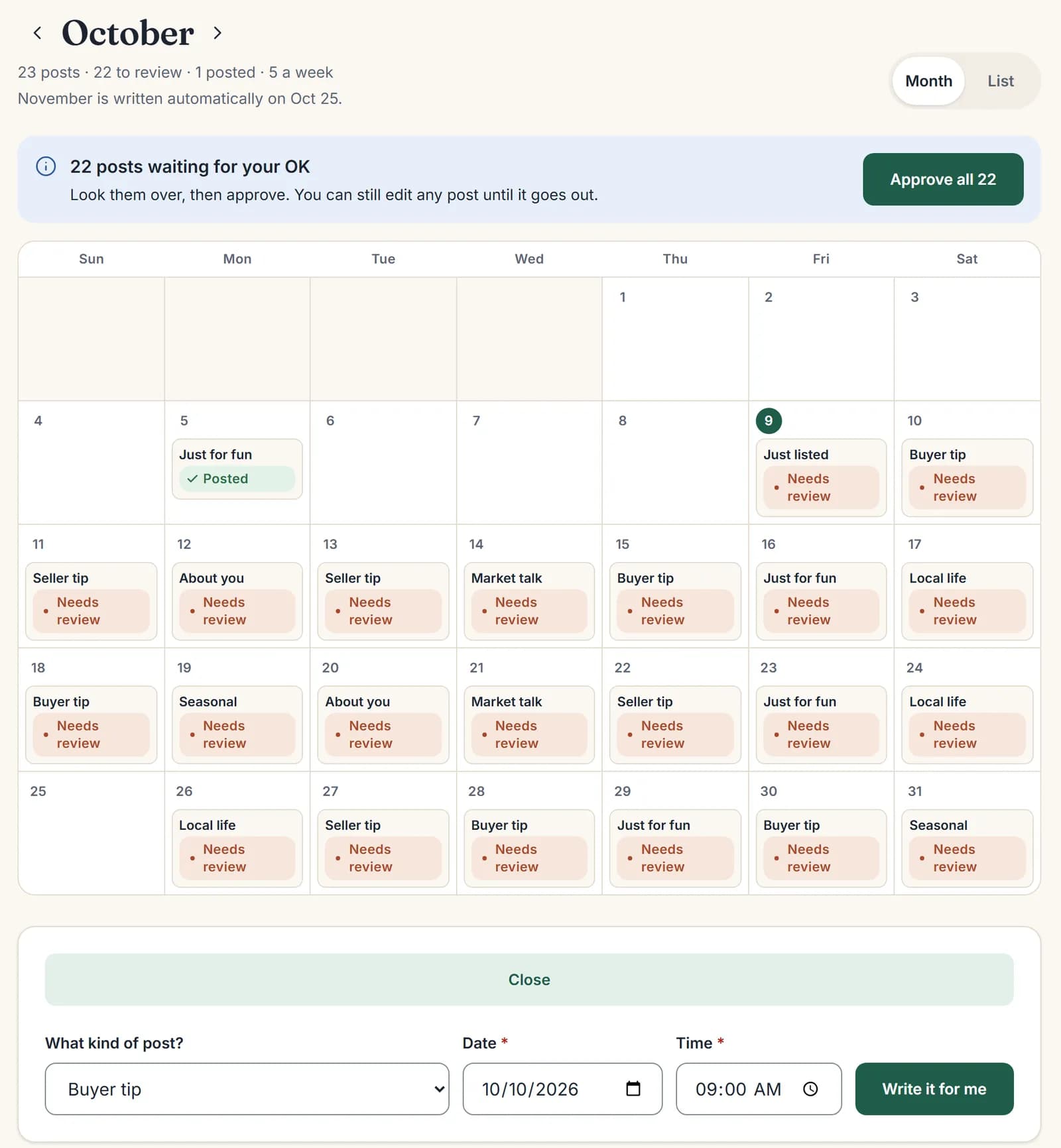
Every listing becomes 4 posts
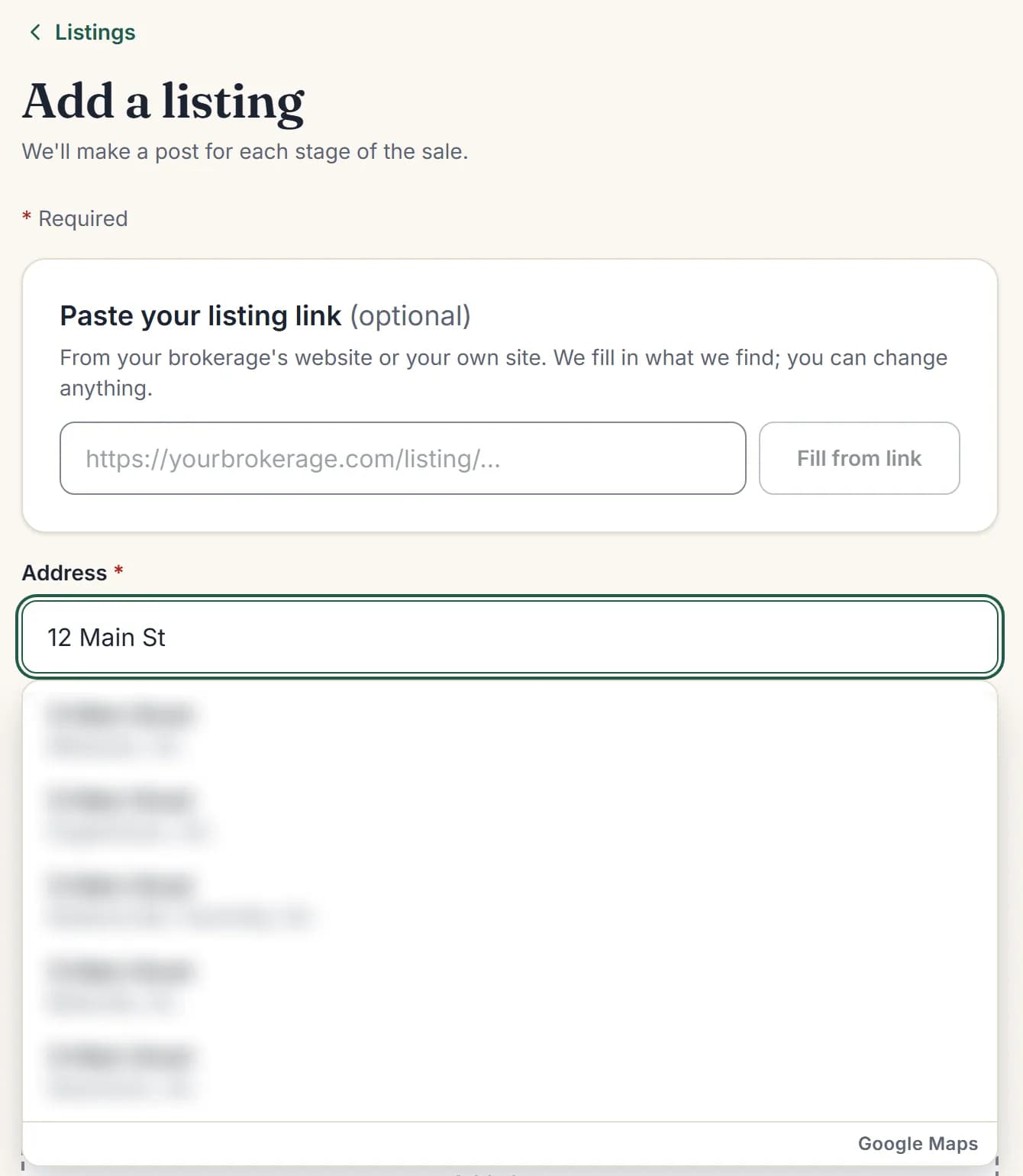
- Go to Listings → Add a listing. Type the address and pick it, or paste the link from your brokerage’s or your own site. Price, beds, baths and square feet fill in. Check them.
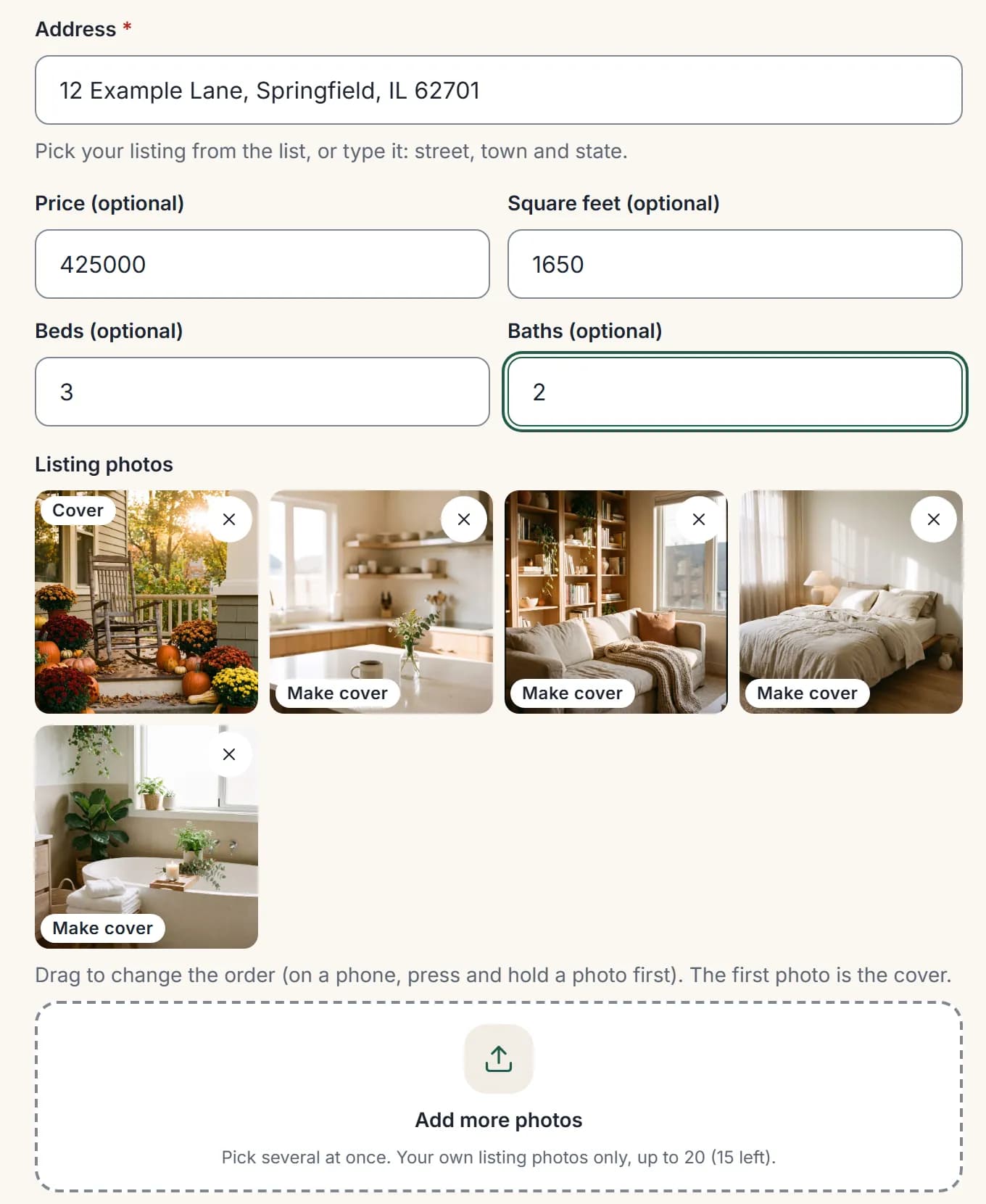
- Add your best 5 to 10 photos, best outside shot or brightest room first. 3+ photos makes Just Listed a swipeable carousel.
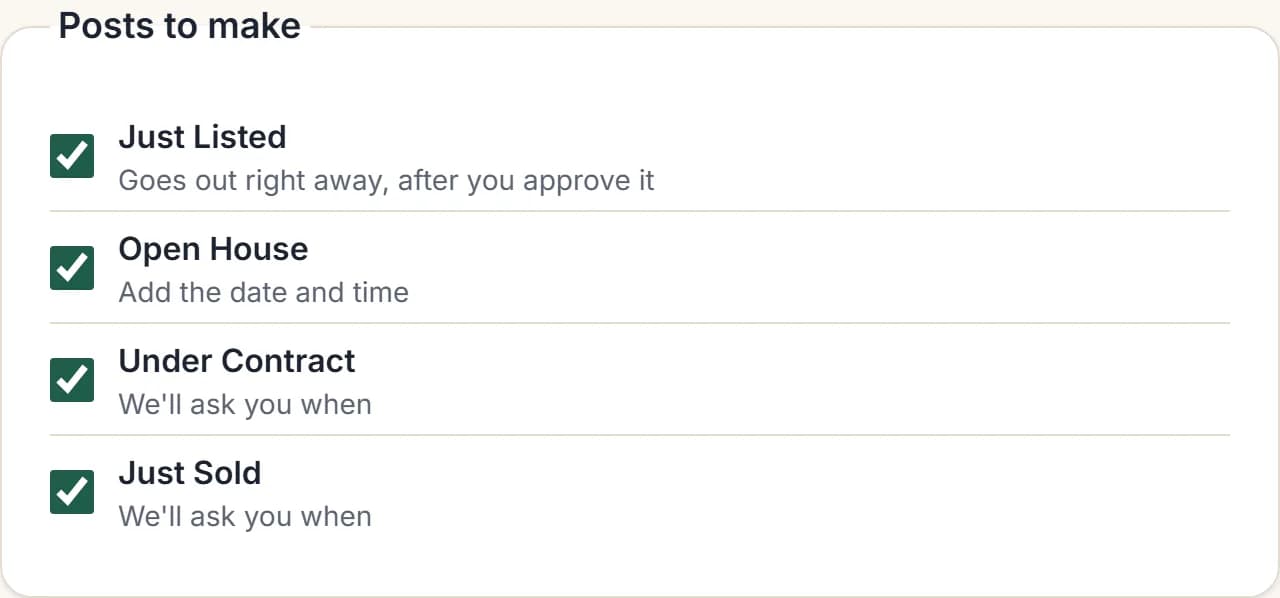
- Keep all 4 posts checked: Just Listed (ready right away), Open House (goes out 2 days before at 9 AM), Under Contract (tap “It’s under contract”), Just Sold (tap “It sold”; this is the post that wins your next listing).
- Share each one to your Story the day it goes out.
- At open houses, ask every visitor “Are you working with an agent yet?” and follow up within 24 hours.
No listings yet? Ask a busy agent in your office if you can host their open house. Get the listing agent’s written OK to promote it.
Only post “Just Sold” for deals you were part of, and only use photos you have the right to use.
Your routine: about 1 hour a week
Every day (10 minutes): answer every comment and DM from the last day on Instagram, Facebook and Google. Message people who engaged with a small, friendly question. Post 1 quick Story.
Once a week (20 minutes): read your Monday recap email. Add one real lesson with + Add a post. Update listings. Text 5 people just to check in, no pitch. Write down every conversation that came from social.
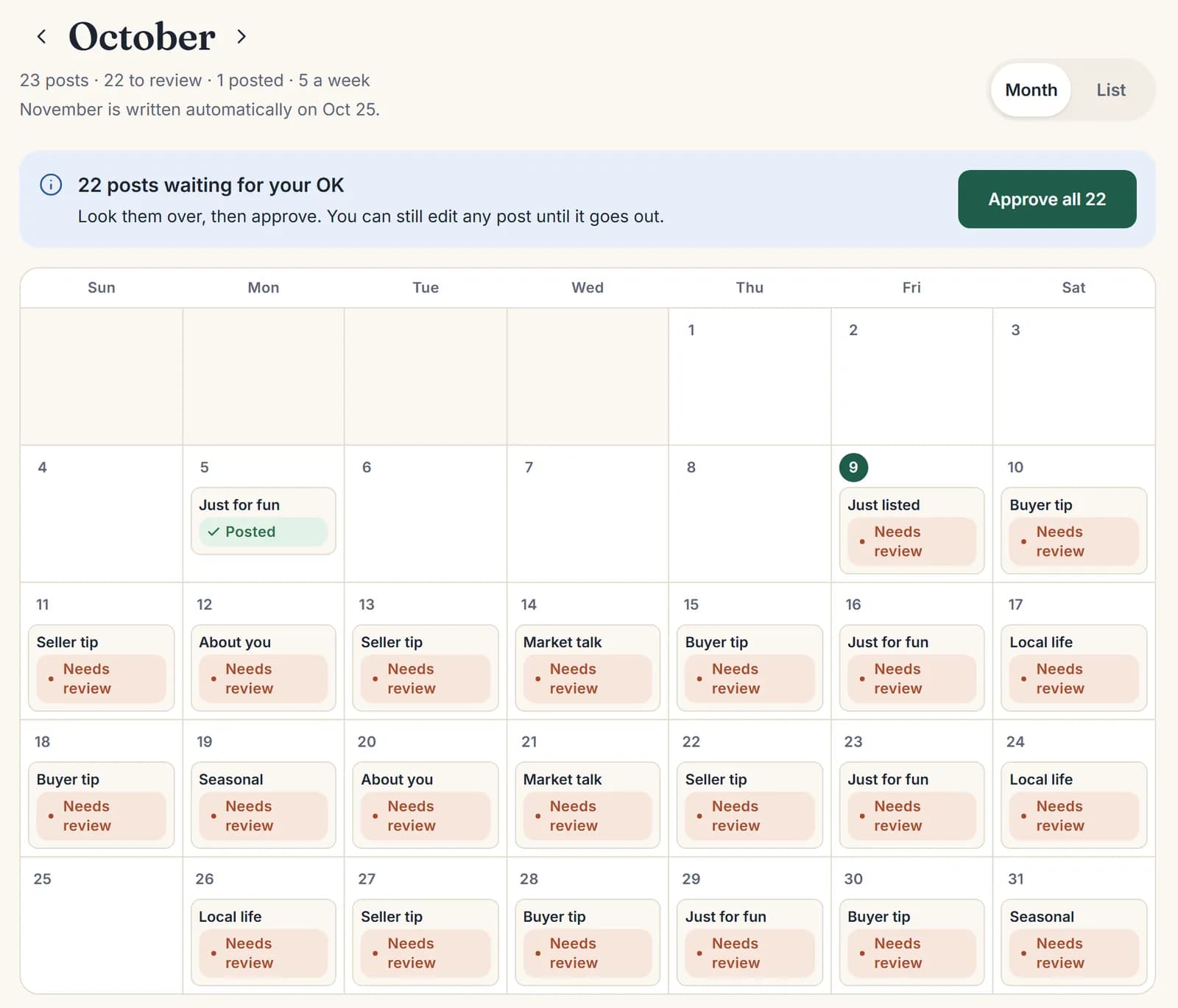
Once a month (15 minutes): open Calendar → Month and skim the mix. Check posts about you and any post naming a local place. Tap Approve all (nothing goes out without your OK). Ask one past client for a Google review.
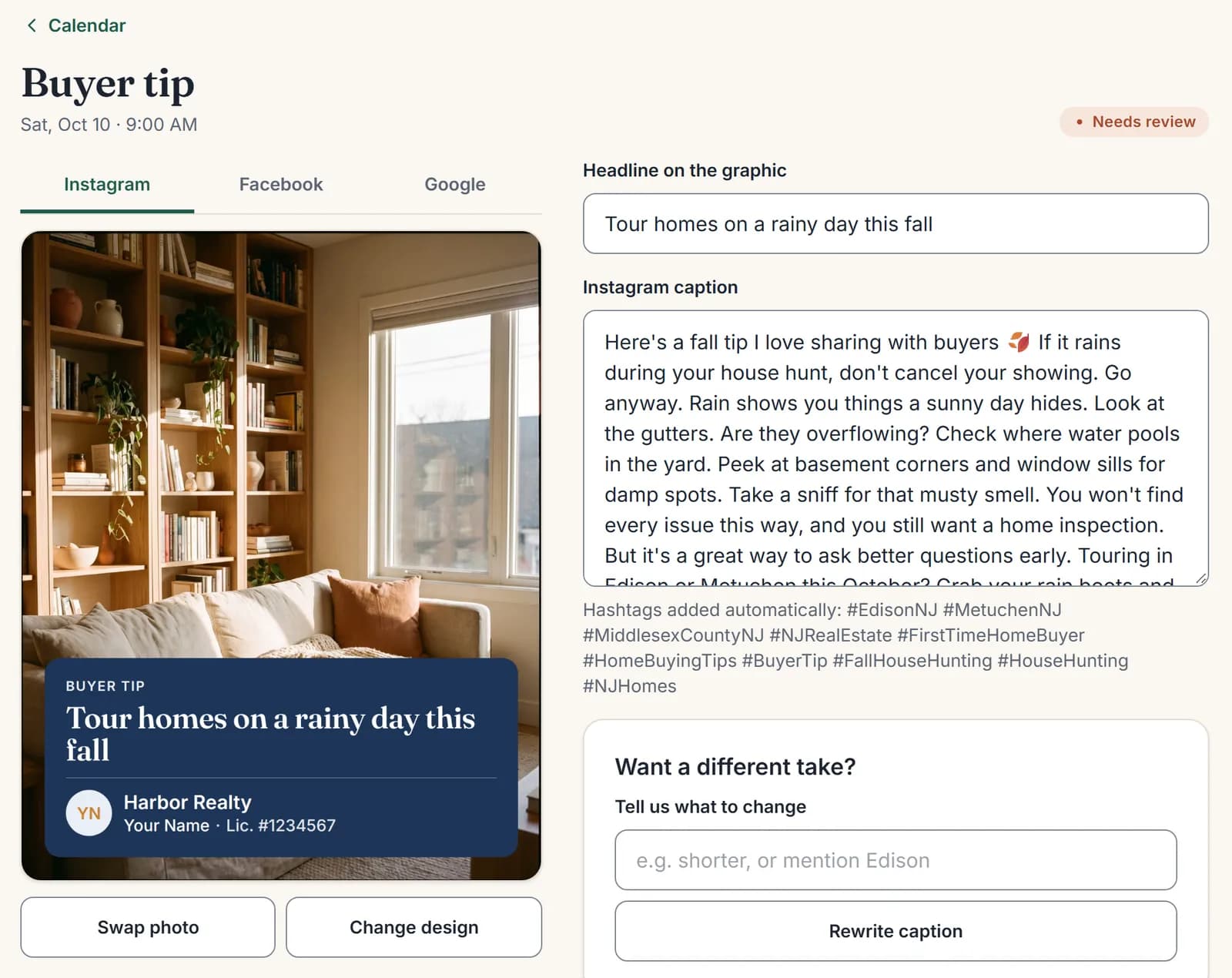
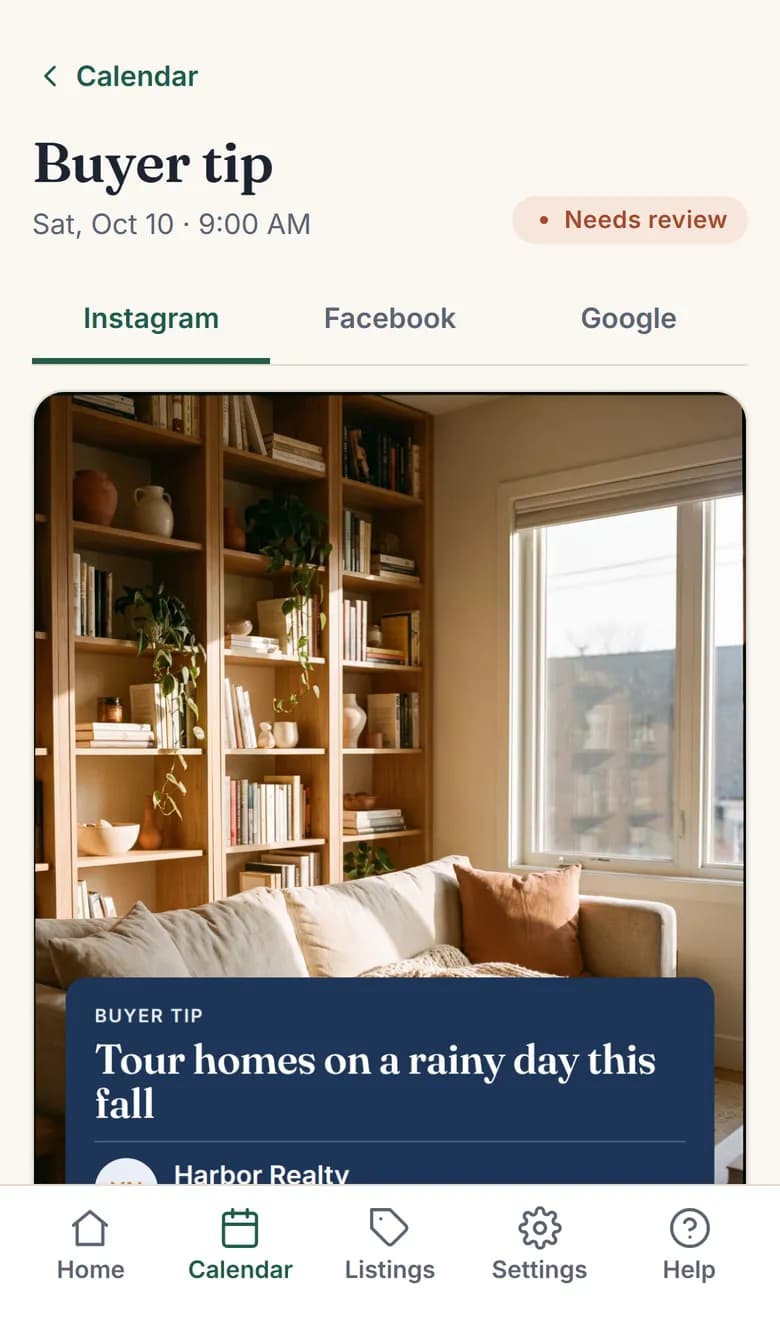
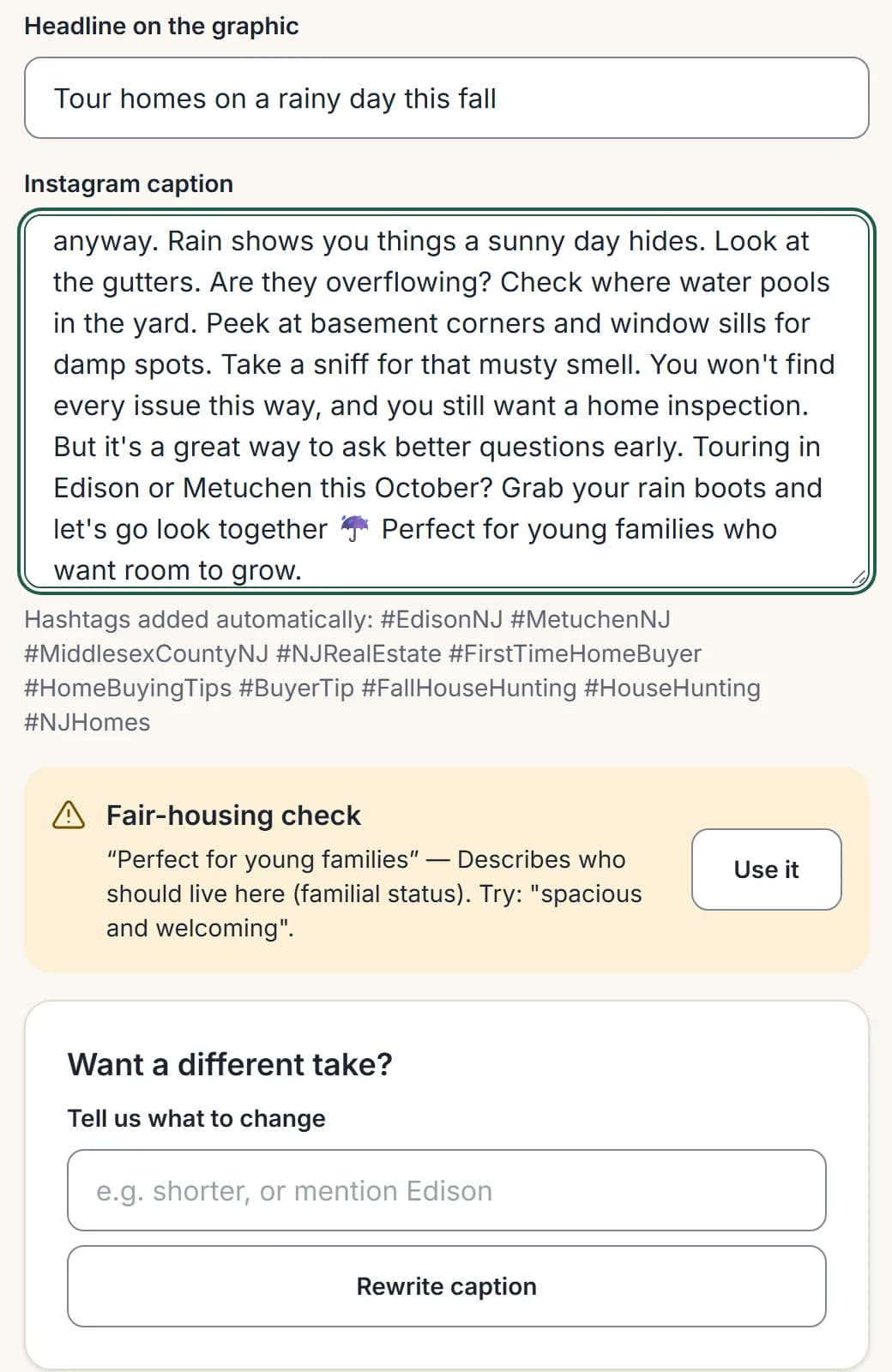
Every caption gets a fair-housing check. If a phrase could be a problem, you see why and a fix you can use in one tap.
Turn likes into conversations
A like is not a lead. A conversation is. Move people one small step at a time: comment → DM → text or call → meeting.
Speed wins: buyers often message several agents and keep talking with whoever replies first. Reply the same day.
| When someone… | Say something like… |
|---|---|
| Likes or says “Love this!” | “Thanks, [name]! Have you been to [the place in the post] yet?” |
| Asks a question in the comments | Answer in one line, then “Want me to send you more on this? I’ll DM you.” |
| Replies to your Story | “Ha, right? Are you still in [town] or did you move?” |
| Might move “someday” | “No rush at all. Want me to send you what homes like yours are selling for? Just for fun.” |
| Asks about a listing | “It’s a great one! Are you working with an agent? Happy to get you in this week.” |
| 3 back-and-forths in DMs | “This is easier by phone. Can I give you a quick call tomorrow, or is text better?” |
Rules: ask about them before real estate. Never paste a pitch or link out of nowhere. Move to text or phone once they show interest. Don’t argue in public. Never share client details.
From conversation to closing
Most deals come from people who already know you. Social keeps you the first agent they think of. In NAR’s 2025 Profile of Home Buyers and Sellers, 43% of buyers found their agent through a friend, neighbor or relative, and 74% interviewed only one agent.
Keep a simple list (notes app, spreadsheet or CRM). For example:
| Name | Where they came from | What they want | Next step | Follow up on |
|---|---|---|---|---|
| [name] | IG comment on a café post | Sell in 2027, maybe | Send home value | First Monday of each month |
| [name] | Story reply | First home, renting now | Call Thursday | This week |
Follow up:
- Ready now (0–3 months): call or meet this week.
- Soon (3–12 months): a personal text every 2–4 weeks with something useful.
- Someday (12+ months): a check-in every month or two.
After every closing: ask for a Google review at the keys. Paste it into Client reviews so it becomes a Client love post. Text them every home anniversary. 29% of sellers used an agent they’d worked with before.
What to expect, and what to measure
Social media works, but slowly. In NAR’s 2025 Technology Survey, Realtors named social media the tool that brought the most quality leads (39%).
| When | What usually happens | What you should see |
|---|---|---|
| Month 1 | Posts go out, friends and past clients notice | First 2–3 conversations |
| Months 2–3 | Your sphere starts asking questions in DMs | Several conversations a month, first appointment |
| Months 4–6 | People say “I see you everywhere,” reviews grow | Appointments from people you didn’t call first |
| 6–12 months+ | Referrals and repeat clients mention your posts | Closings you can trace to a post, DM or review |
These are typical patterns, not promises. Measure conversations started, appointments and closings, not likes. Views from outside your towns don’t become clients. A small local following does.
Stay compliant
Every post is an ad. Rules differ by state, so check your state’s real estate commission and ask your broker to approve your post design.
| Rule | What it means | What Feeds & Deeds does |
|---|---|---|
| Brokerage name | Nearly every state requires your brokerage’s name on ads, including social media. Some set a size or spot (for example New Jersey, Texas and Florida). | Puts your brokerage on every graphic, larger than your name. |
| License number | Some states, like California, require it on electronic ads. | Add it once in Brand kit → License line. |
| Bio and contact info | Some states add rules for phone numbers or required links. | Check your bio and website once with your broker. |
| Fair housing (federal) | Describe the home, never who should live there. Avoid “perfect for young families”, “safe neighborhood”, “master bedroom”. | Checks every caption and suggests a fix in one tap. |
| Honest advertising (NAR Code of Ethics, Article 12) | Give a true picture, make it clear you’re a real estate professional, and only claim “sold” for deals you were part of. | Never makes up reviews or market numbers, and never uses stock photos for a home for sale. |
| Client privacy | No client faces, interiors or addresses without permission. | Only uses photos you upload and reviews you paste in. |
This is a summary, not legal advice.
Sources
Ready to stay visible without the work?
Feeds & Deeds writes, designs and posts a month of social media in your voice. You approve it and spend your time on the conversations.
Claim your founding spotSee pricing