Be the agent your town sees every week. We do the posting.
Feeds & Deeds writes and designs a month of posts in your voice and posts them to Instagram, Facebook, Google and LinkedIn. You approve them in about 15 minutes.
Your 3 sample posts are ready in about 30 seconds. No card.
Not ready to commit? Get your free growth report first.- Nothing posts without your OK
- Fair-housing check on every caption
- Cancel anytime
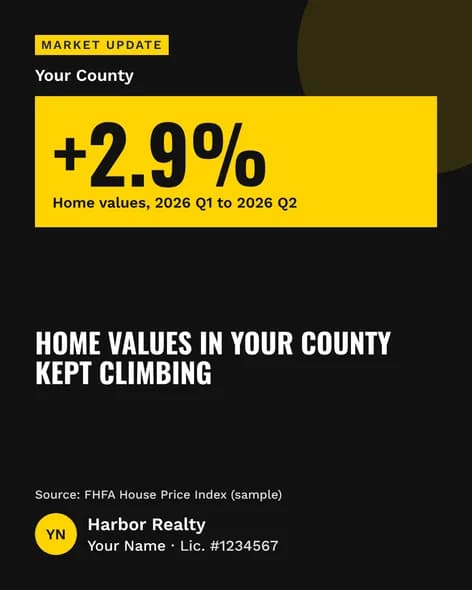
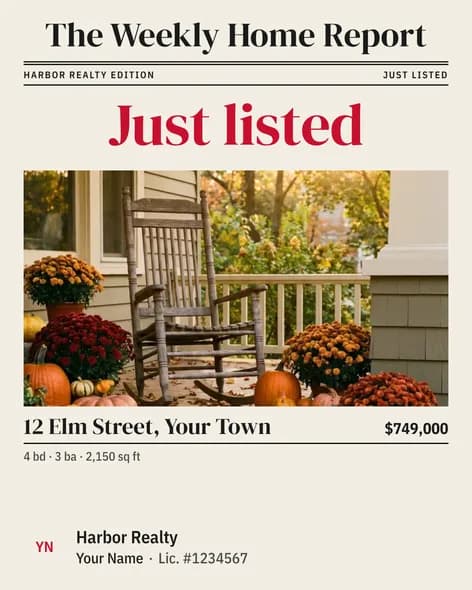
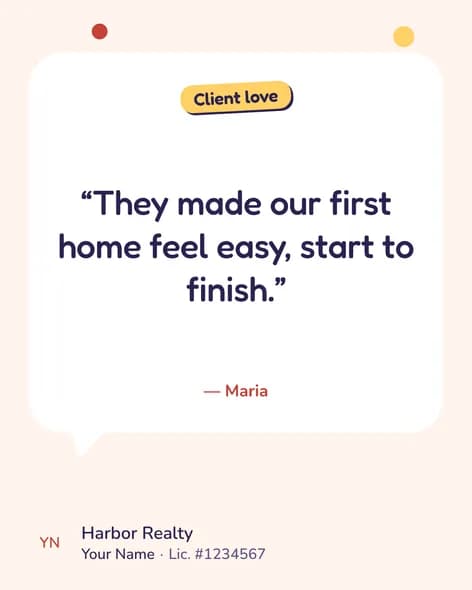

You know you should post. Your day had other plans.
No time to write and design
3 showings, an inspection and a client texting at 9:00 PM. Posting was never going to happen today.
Not sure what to post
Another listing? A market update? A blank caption box takes longer than the post.
Templates look like templates
Your sphere can tell. Canned graphics and captions make you blend in with every other agent in town.
See what your posts could look like
Posts that look like you made them.
Pick a style you like or make your own. Your brokerage and name go on every post.

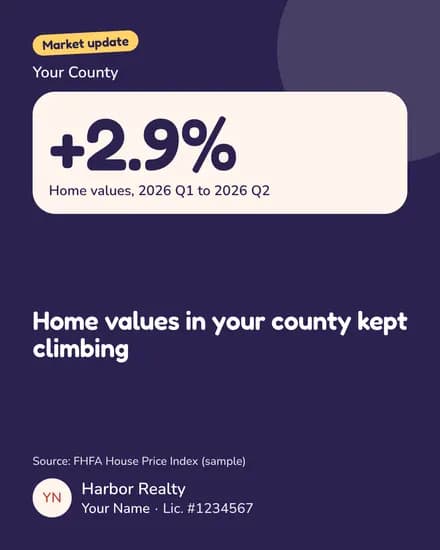
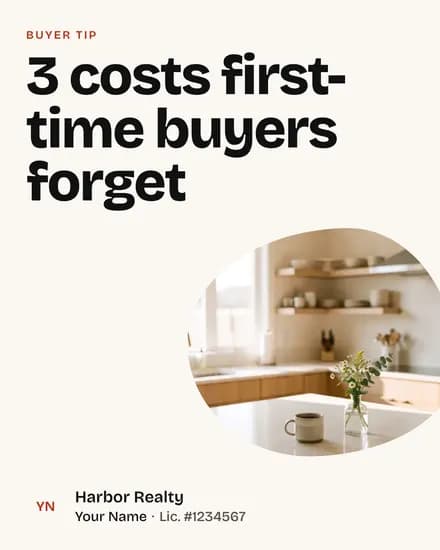

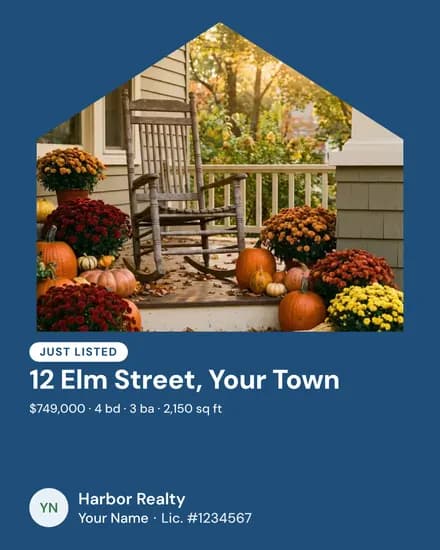
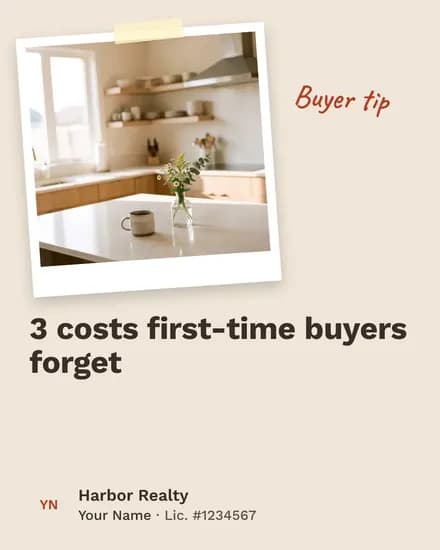
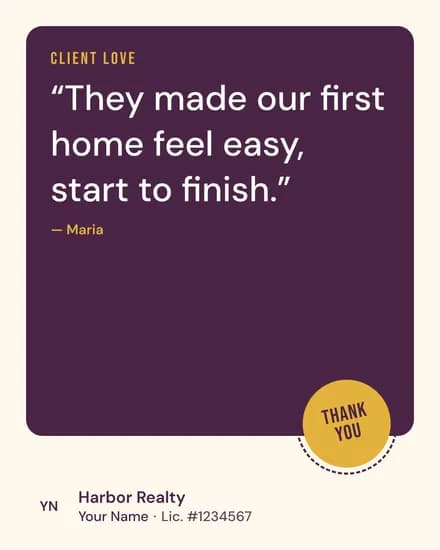
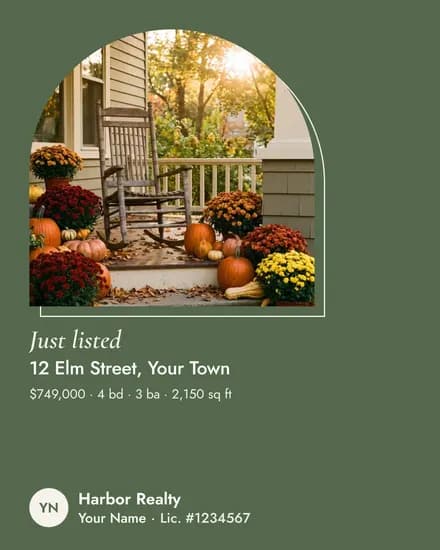
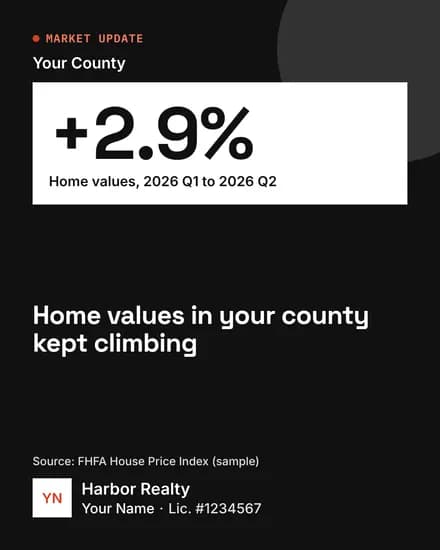


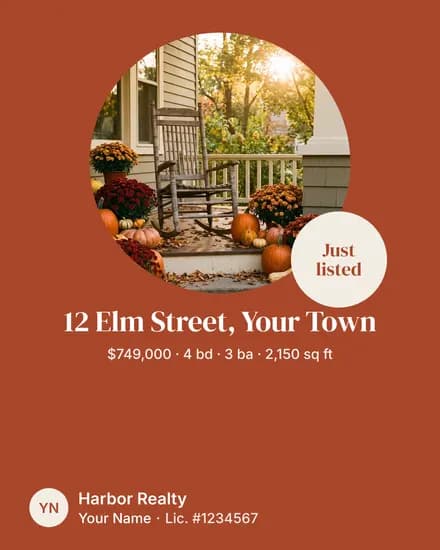
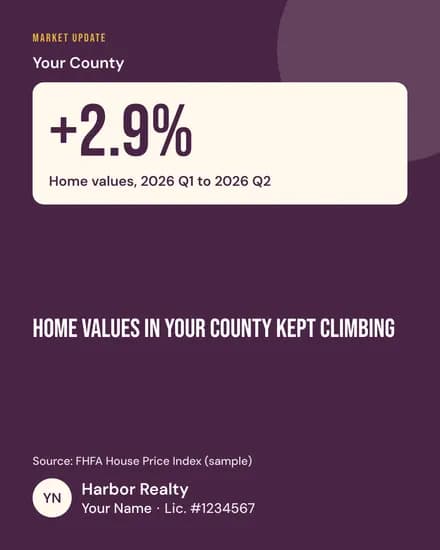
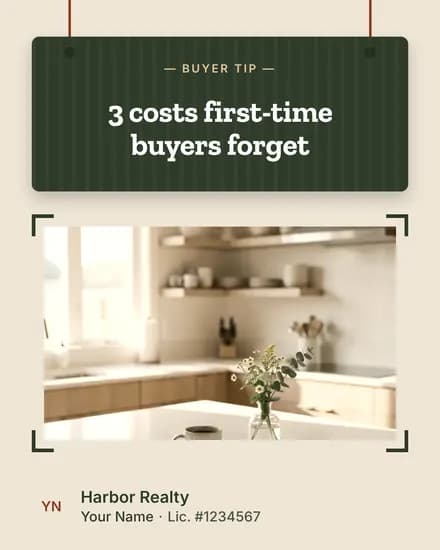
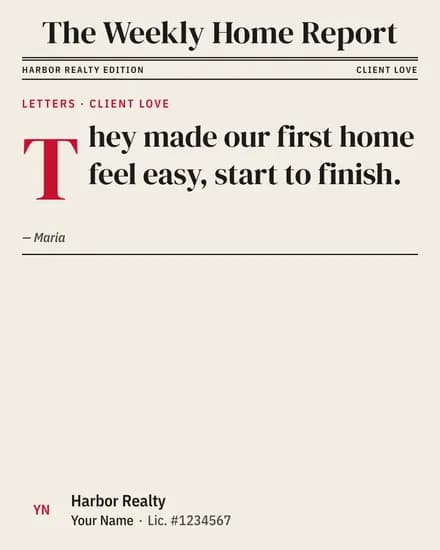
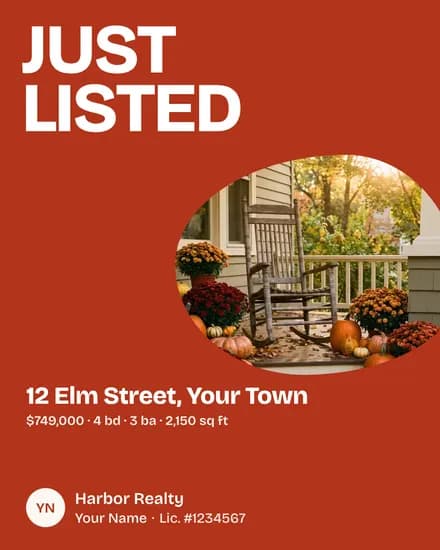
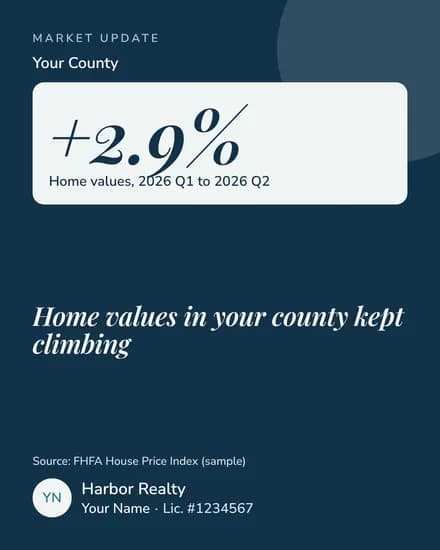
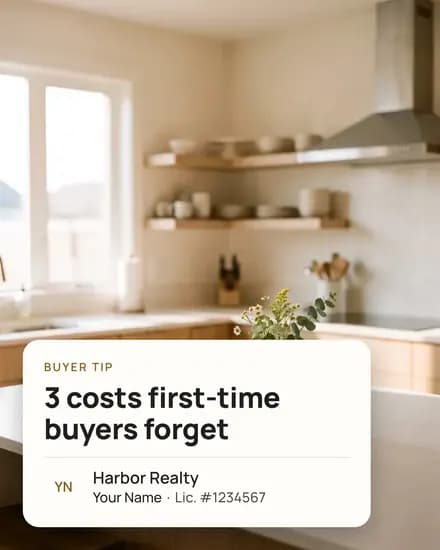
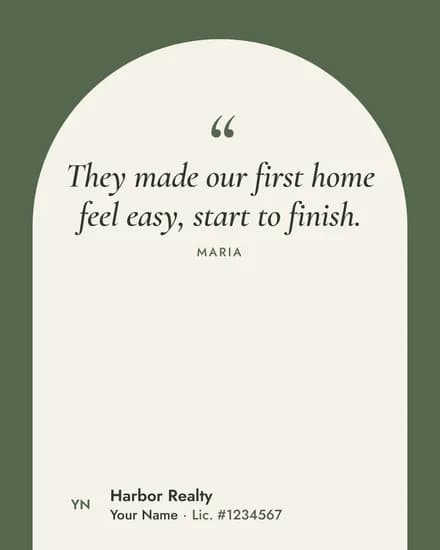
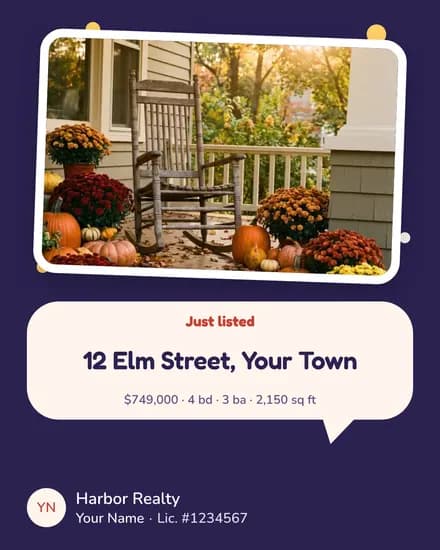

Real posts from the app, with sample details.
Make it yours.
Tap around. Change the colors, the shape and the headline size until it feels like you.

Why posting every week works
Your next client may already know you. The job is staying top of mind.
Step 1Your next client already knows you
50%of a typical agent's business comes from past clients (28%) and their referrals (22%).
Source: NAR 2026 Member Profile (opens in a new tab)Step 2They're scrolling right now
8 in 10adults ages 30–49 use Facebook, and most check it every day. The typical first-time buyer is 40.
Sources: Pew Research 2025 (opens in a new tab)NAR 2025 Profile of Home Buyers and Sellers (opens in a new tab)Step 3They'll call the agent they remember
74%of buyers interview only one agent, and 80% of sellers contact only one.
Source: NAR 2025 Profile of Home Buyers and Sellers (opens in a new tab)
Post every week and you stay the agent they remember. Feeds & Deeds does the posting for you.
See your first posts freeRealtors rank social media their #1 tech tool for quality leads (39%), ahead of CRMs and the MLS.Source: NAR 2025 Technology Survey (opens in a new tab)
How it works
You stay in charge of your feed. Nothing posts without your OK.
Real screens from the app, from a demo account.
- Your monthA full month of posts for your towns, waiting for your OK.
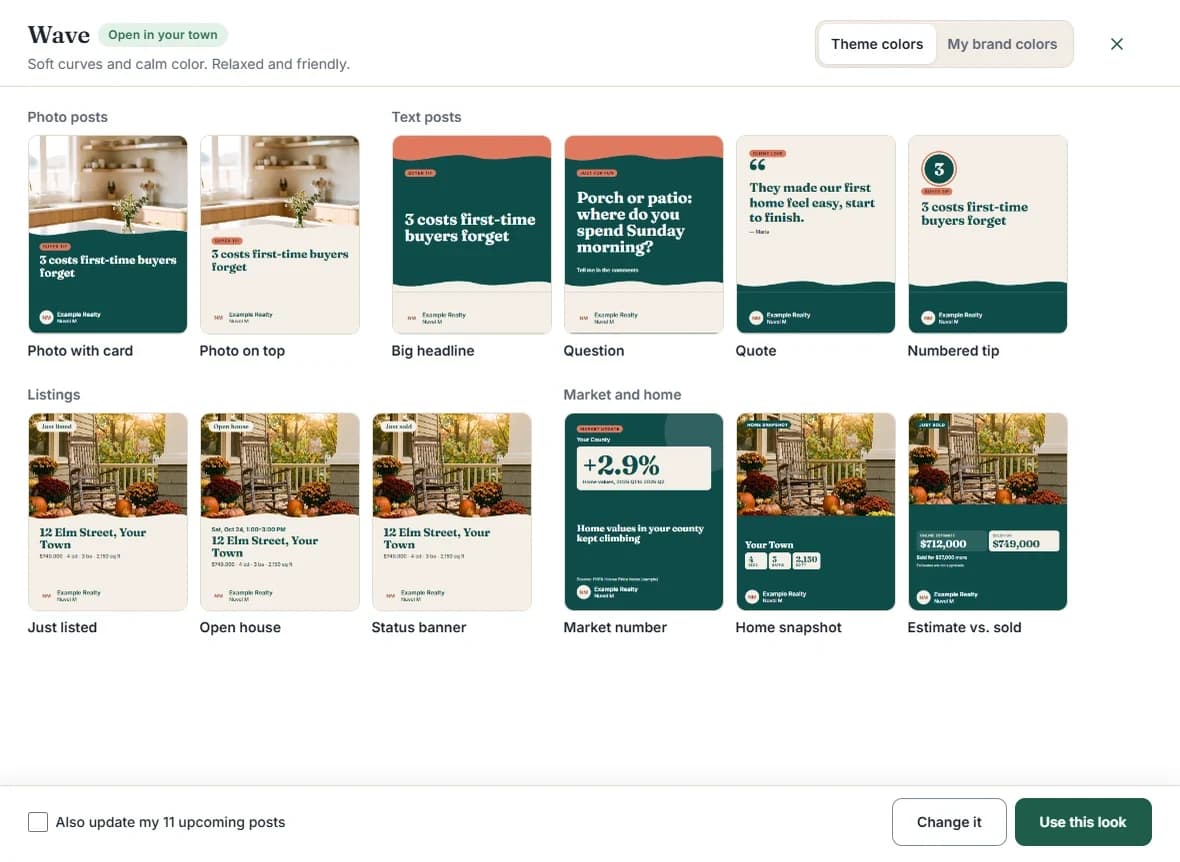
- Pick your styleTap a style to see it on every kind of post. Use it as is, or change it.
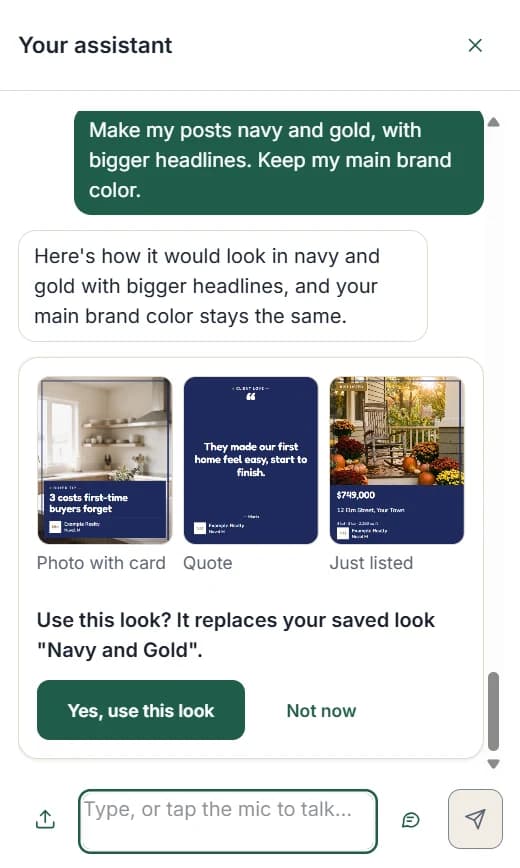
- Ask the assistantTell it what you want in plain words, like "make my posts navy and gold." It shows you first and changes nothing until you say yes.
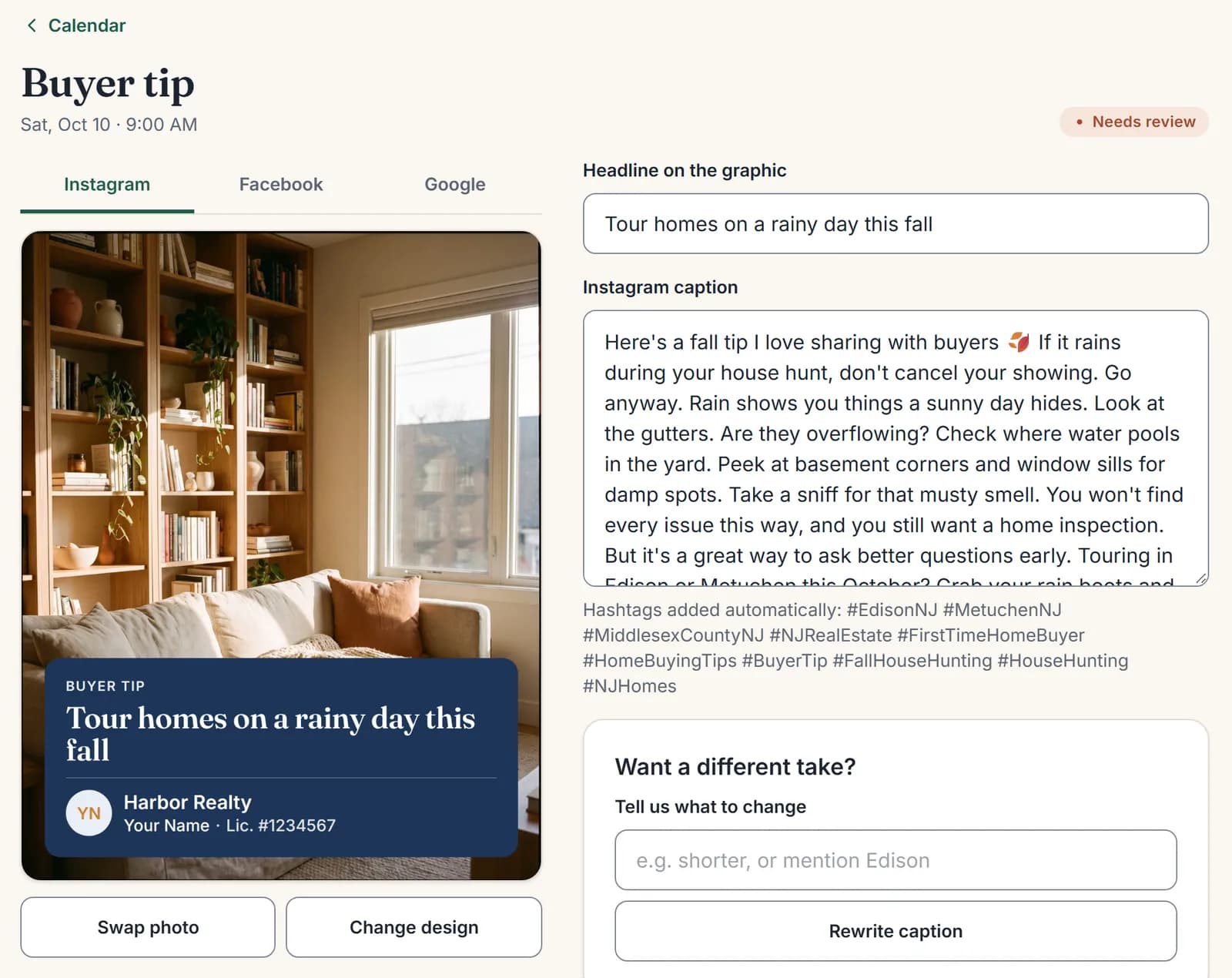
- Edit any postChange a word, swap the photo or ask for a rewrite. Preview it for Instagram, Facebook, Google and LinkedIn.
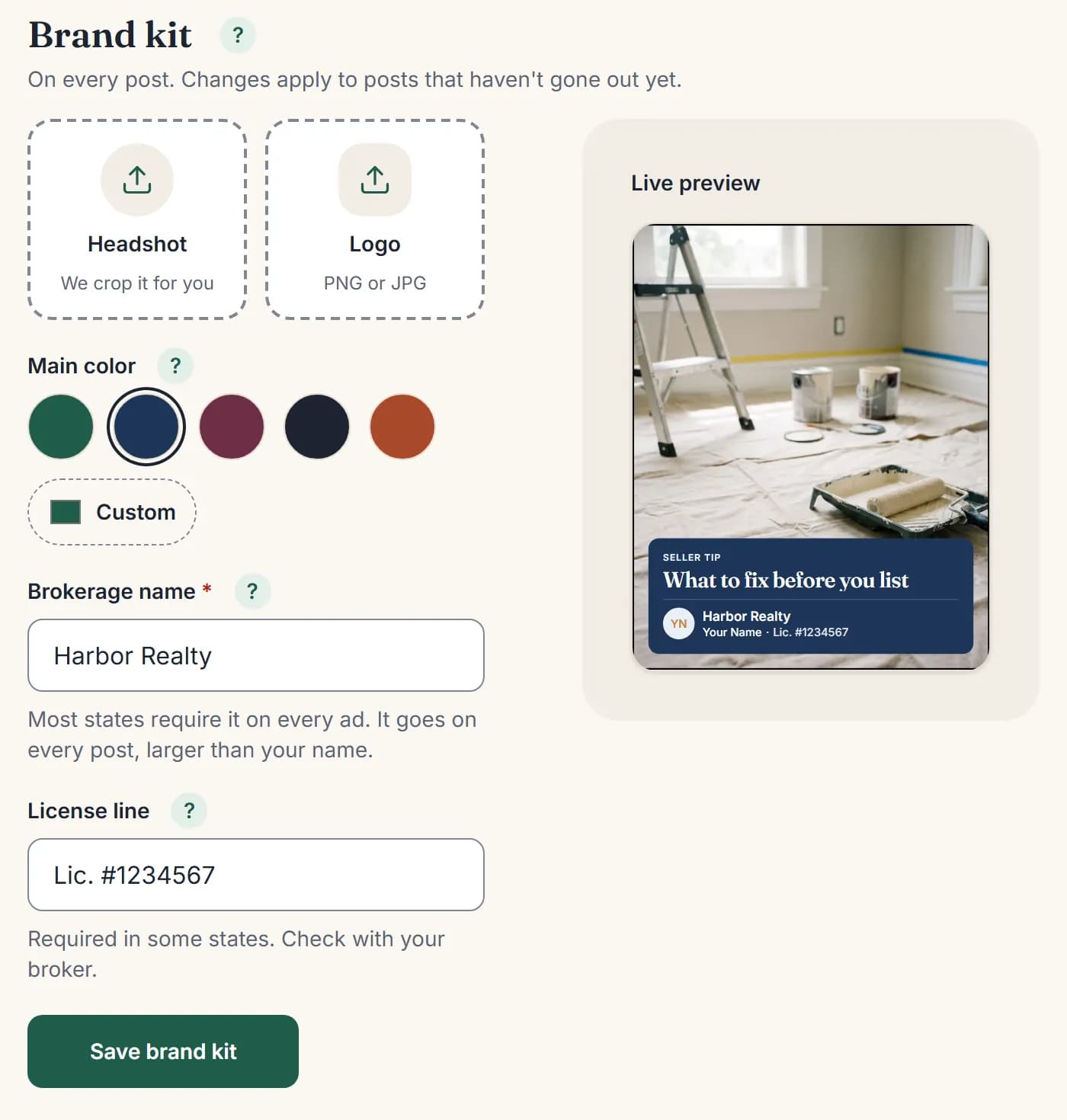
- Your brand on every postYour headshot, logo, colors and brokerage, with a live preview.
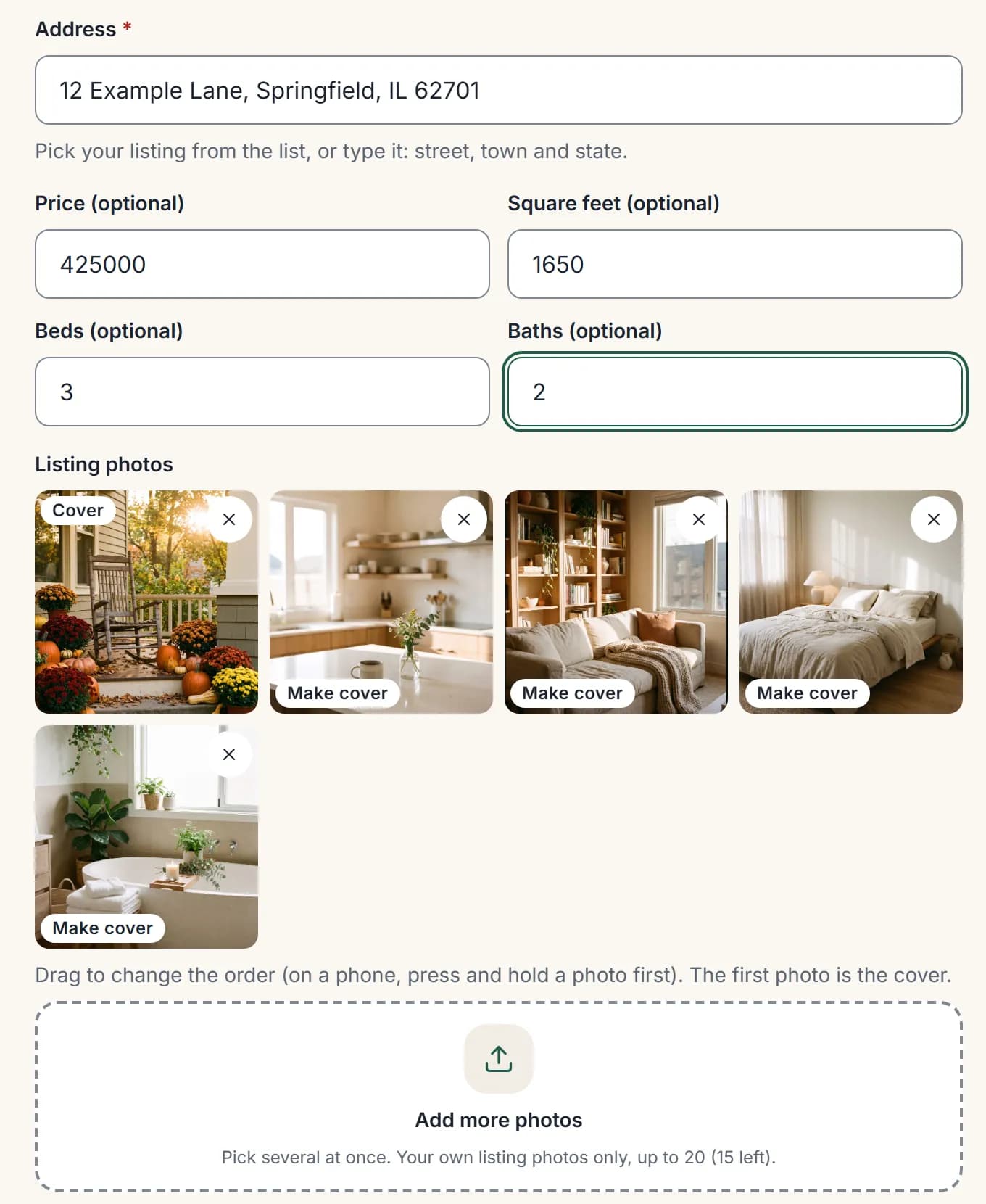
- Listings in secondsType the address and pick it. Price, beds, baths and square feet fill in. Add your photos.
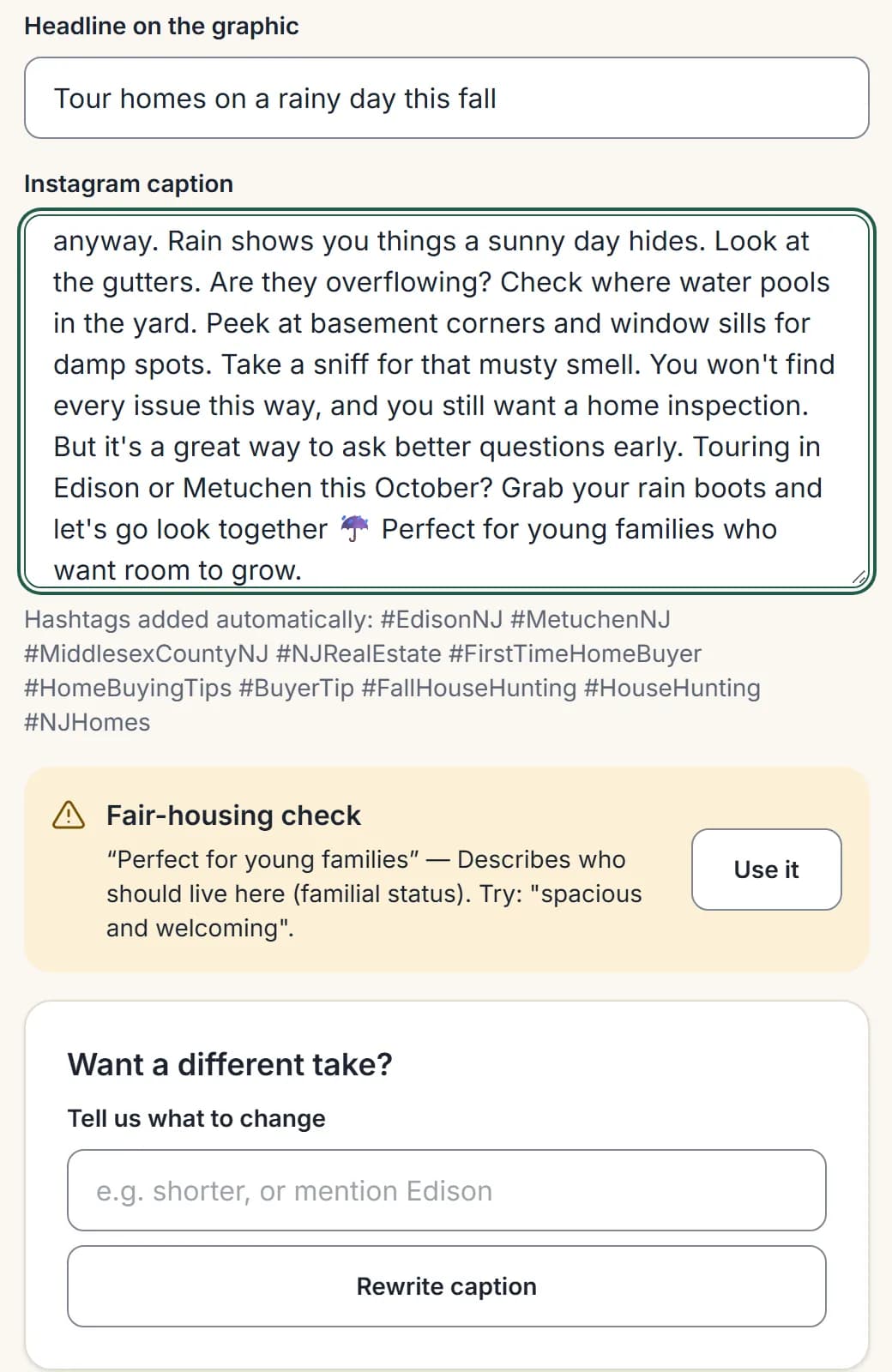
- Fair-housing checkEvery caption is checked. If a phrase could be a problem, you get a fix in one tap.
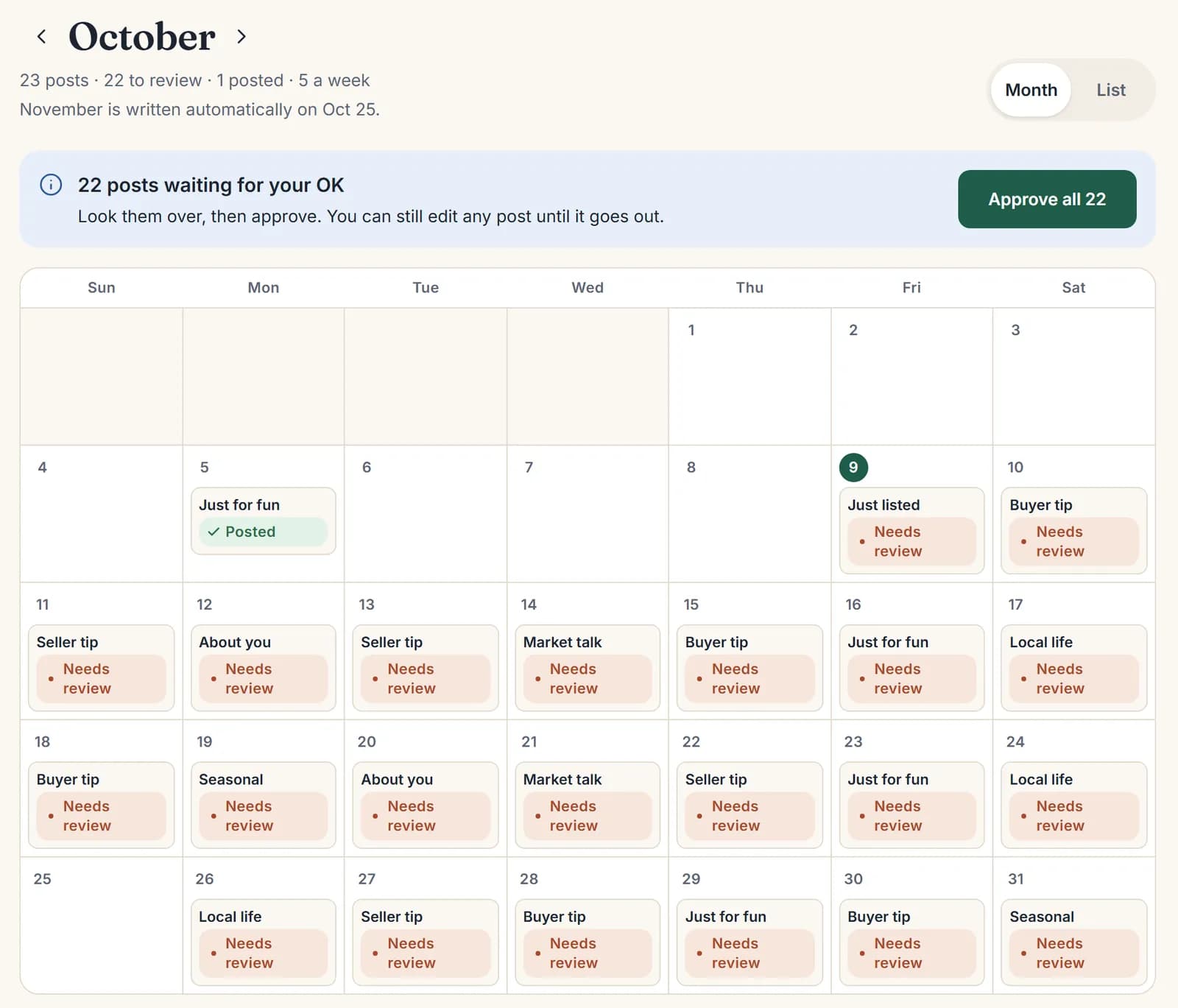
Your month
A full month of posts for your towns, waiting for your OK.
1 of 7Pick your style
Tap a style to see it on every kind of post. Use it as is, or change it.
2 of 7Ask the assistant
Tell it what you want in plain words, like "make my posts navy and gold." It shows you first and changes nothing until you say yes.
3 of 7Edit any post
Change a word, swap the photo or ask for a rewrite. Preview it for Instagram, Facebook, Google and LinkedIn.
4 of 7Your brand on every post
Your headshot, logo, colors and brokerage, with a live preview.
5 of 7Listings in seconds
Type the address and pick it. Price, beds, baths and square feet fill in. Add your photos.
6 of 7Fair-housing check
Every caption is checked. If a phrase could be a problem, you get a fix in one tap.
7 of 7
36% of sellers now find their agent online, up from 15% in 2018. Your Google profile and reviews are where they check you out.Source: Zillow 2025 Consumer Housing Trends (via Florida Realtors) (opens in a new tab)
Listings
One listing. Four posts.
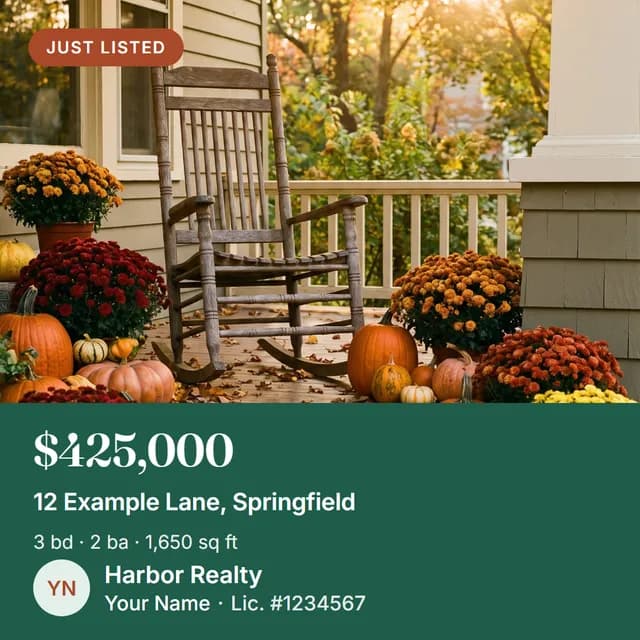
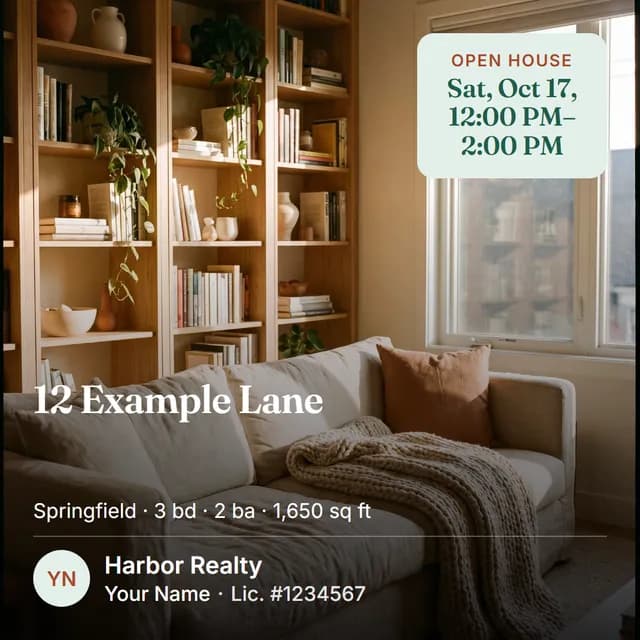
Add the address and photos once. From Just Listed to Just Sold, every stage gets its post.
- Just ListedReady to review right away. 3+ photos make it a carousel.
- Open HouseAdd the date and time. It goes out 2 days before.
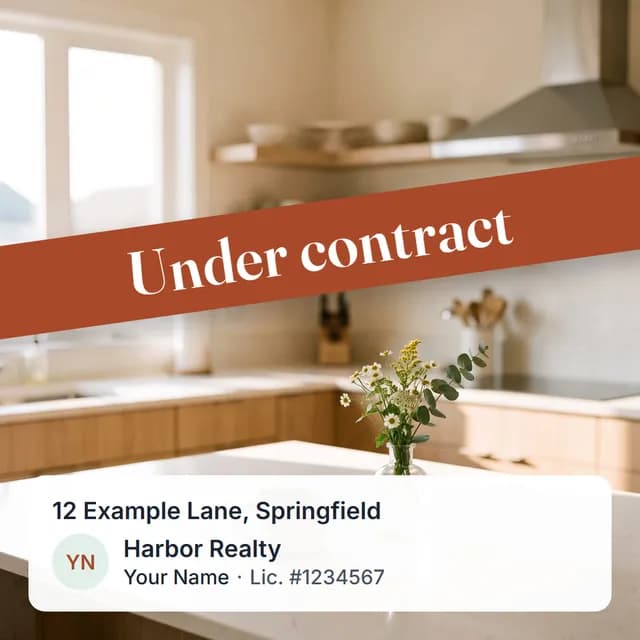
- Under ContractTap "It's under contract" and we make the post.
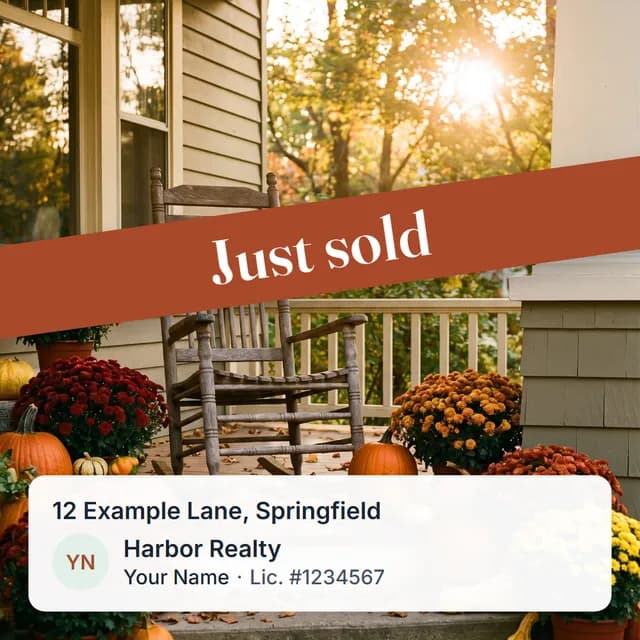
- Just SoldTap "It sold." We make the post while you're still at the closing table.
Can't you just do it yourself in Canva? You can. Here's what it costs you.
| Feature | Canva, yourself | Template club | Social media manager | Feeds & Deeds |
|---|---|---|---|---|
| Writes your captions | No | Varies | Yes | Yes |
| Designs your graphics | No | Yes | Yes | Yes |
| Posts for you | No | Varies | Yes | Yes |
| Listing posts | No | Varies | Varies | Yes |
| Fair-housing check | No | No | Varies | Yes |
| Your time a month | Varies | Varies | Varies | 15 min |
One plan. Everything included.
Your first month is $49.50, then $99/mo. Or pay $990/yr and get 2 months free. Cancel anytime, with a 14-day money-back guarantee.
See your first posts freeSee what's includedSee what a year of showing up would do for your name.
Your posting numbers, what they mean for your past clients, and 3 posts made for your town, in your voice.
- Now vs. a year with us
- 3 posts made for your town
- What it does for your network
- Your quick wins
- About 2 minutes
- Free. No card. We never ask for passwords.
Sample growth reportmade-up agent
Jordan LeeLewisville, TX
| Now | With us | |
|---|---|---|
| Posts a year | 12 | 260 |
| Times their name shows up | 24 | 520 |
Posting check: 39 / 100it's in there, but it's not the point
- Nothing posts without your OK
- Edit anything until it goes out
- Cancel anytime
- First month 50% off
- 14-day money-back guarantee
Questions
Is this going to be another 50-views-and-4-likes thing?
Fair question. Most agents get few deals straight from strangers online. Your clients come from people who already know you: about half of a typical agent's business is past clients and their referrals. Posting every week keeps you the agent they think of and recommend, and Feeds & Deeds keeps you posting. Source: NAR 2026 Member Profile (opens in a new tab)
Do you post for me?
Yes. We write and design about 5 posts a week. Once you approve them, each one goes out at its time on Instagram, Facebook, Google and LinkedIn. Nothing ever posts without your OK, and you can edit any post until it goes out.
Will it sound like AI, or like me?
You take a short quiz: 5 times, you pick the caption that sounds most like you. You can also paste a caption, email or bio you wrote. That builds your Voice Card: how you talk, words you like and words you never use. Posts are about your towns and the people you help. Change any caption yourself, or tap Rewrite caption and tell us what to change. English, Spanish or both.
Will my posts look like every other agent's?
Not unless you pick the same style and leave it alone. Choose one you like, then change the colors, shape, fonts and headline size until it feels like yours. You see it on every kind of post before you choose.
Is it fair-housing and brokerage-compliant?
Every caption gets a fair-housing check: we flag wording that describes who should live somewhere instead of the home, and suggest a rewrite you can use in one tap. Your brokerage name is on every graphic, larger than your name, and you can add your license number. The check catches common problems. It isn't legal advice, so ask your broker if you're unsure.
What if I don't have a listing right now?
Most posts aren't about listings: local spots, buyer and seller tips, market ideas and seasonal posts. When you do have a listing, add it and we make the Just Listed, Open House, Under Contract and Just Sold posts.
Which platforms do you post to?
Instagram (a business or creator account), your Facebook Page, Google Business Profile and LinkedIn (your profile or a company page you manage). You sign in on each platform's own page, so we never see your password.
How much time does it take?
About 15 minutes a month to look over and approve your posts, after about 20 minutes of setup.
Can I cancel?
Yes, anytime in Settings → Plan and billing. Your posts keep going until the end of the period you paid for. 14-day money-back guarantee: if it's not for you, within 14 days of your first payment you can get a refund yourself for what you paid in that time, in Settings.
How much is it?
$99 a month (your first month is $49.50) or $990 a year, which is 2 months free. One plan, everything included. The first month at $49.50 is for the monthly plan.